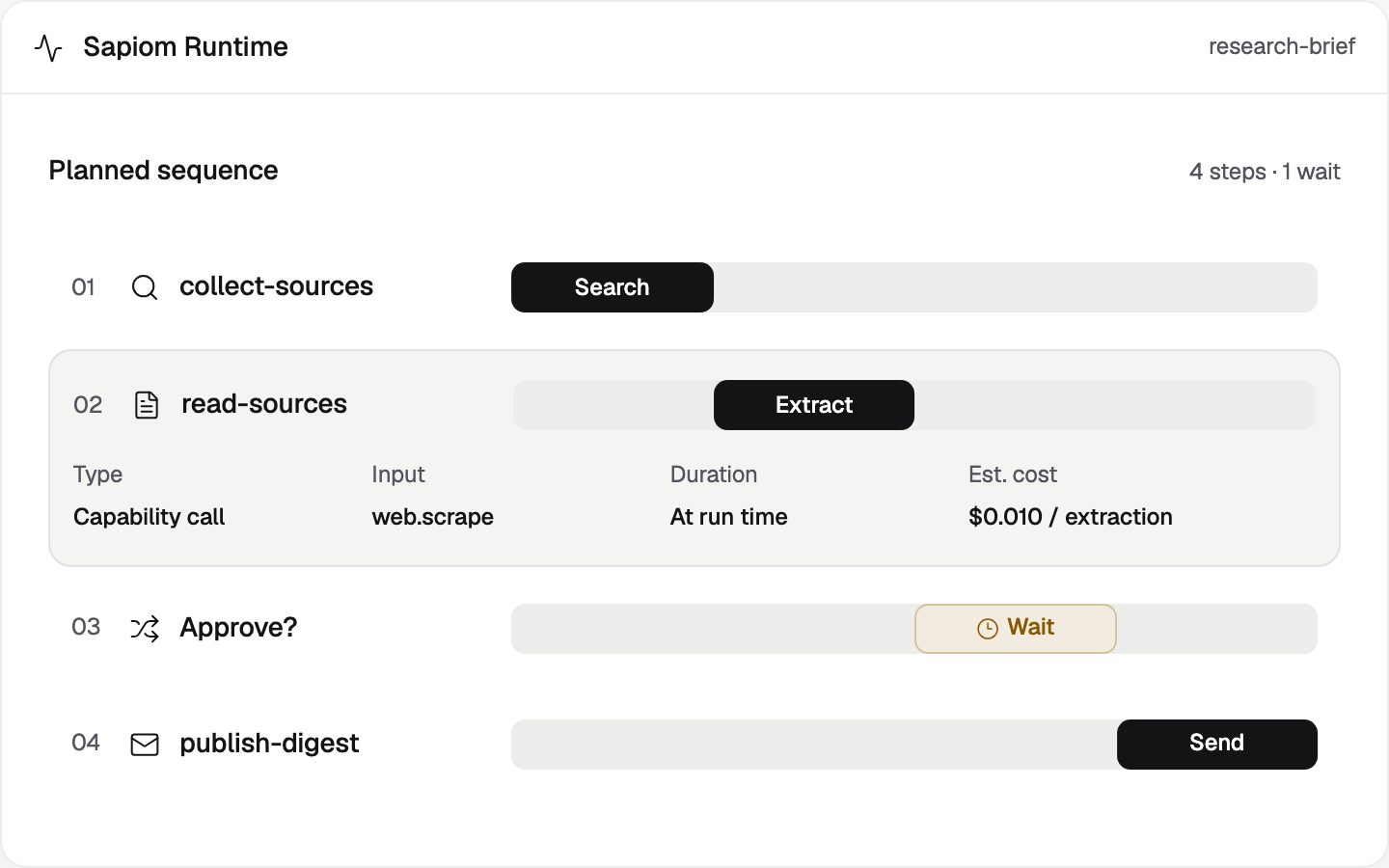
Build and run AI agents
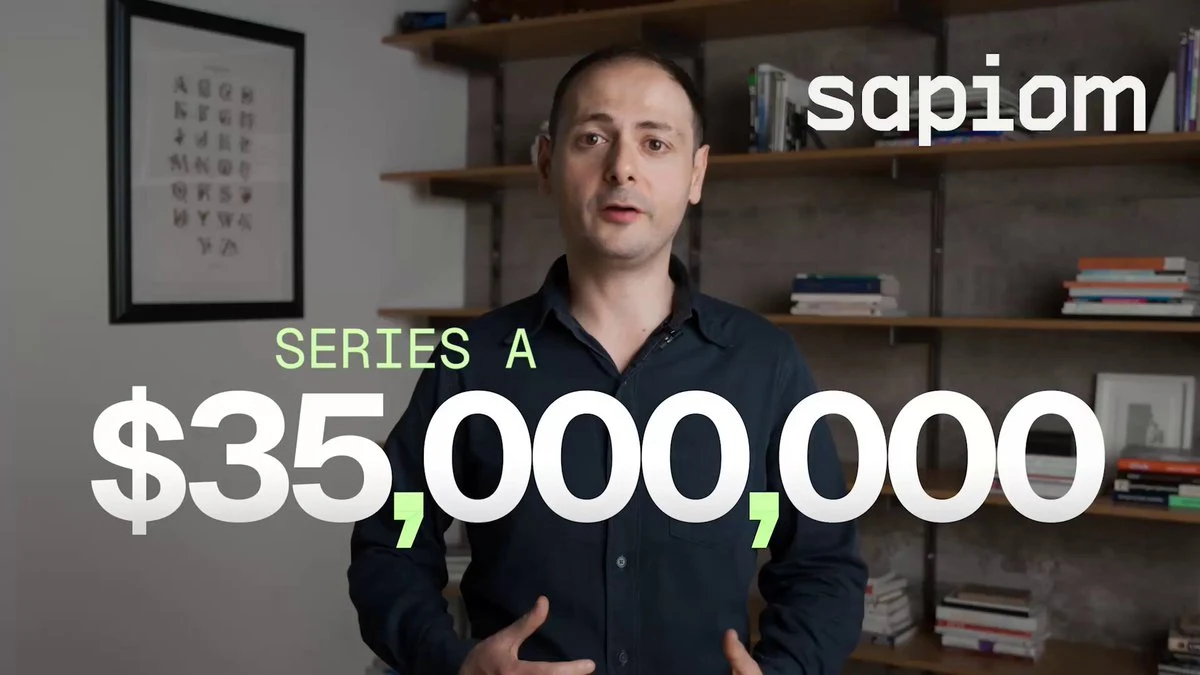
I led product design, UX/UI and frontend engineering through Sapiom’s $35M Series A launch. The platform brings agent customization, runtimes, tool integrations and workflow automation together.
- AI agents
- Workflow builder
- Developer experience
- Design systems
Project overview
Overview
Build and inspect AI workflows
Create agents, edit workflows and inspect runs in one workspace.
Role
Founding Design Engineer
Product design, UX/UI and frontend engineering. Rebuilt the UI, design system, website and demos; led launch creative direction. Partnered with founders and engineers on strategy, AI-native prototypes and MVP features.
Team: Founder CEO, Engineering and AI Researcher
Problem
Chat and workflow fell out of sync
The early builder could accept a chat response without updating the workflow. Long replies buried decisions, making it hard to tell what an agent would do.3
Solution
Build, revise and inspect one workflow
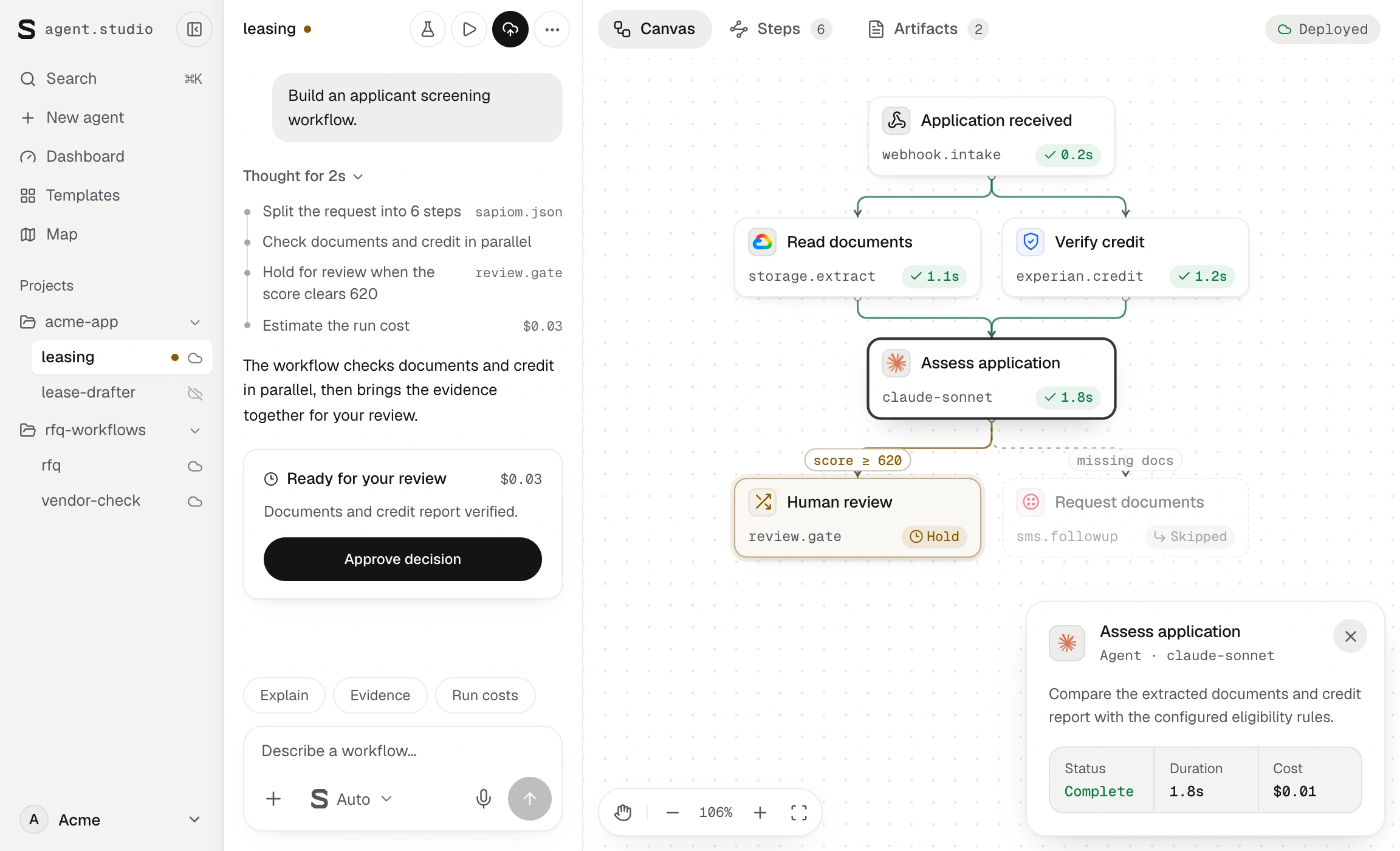
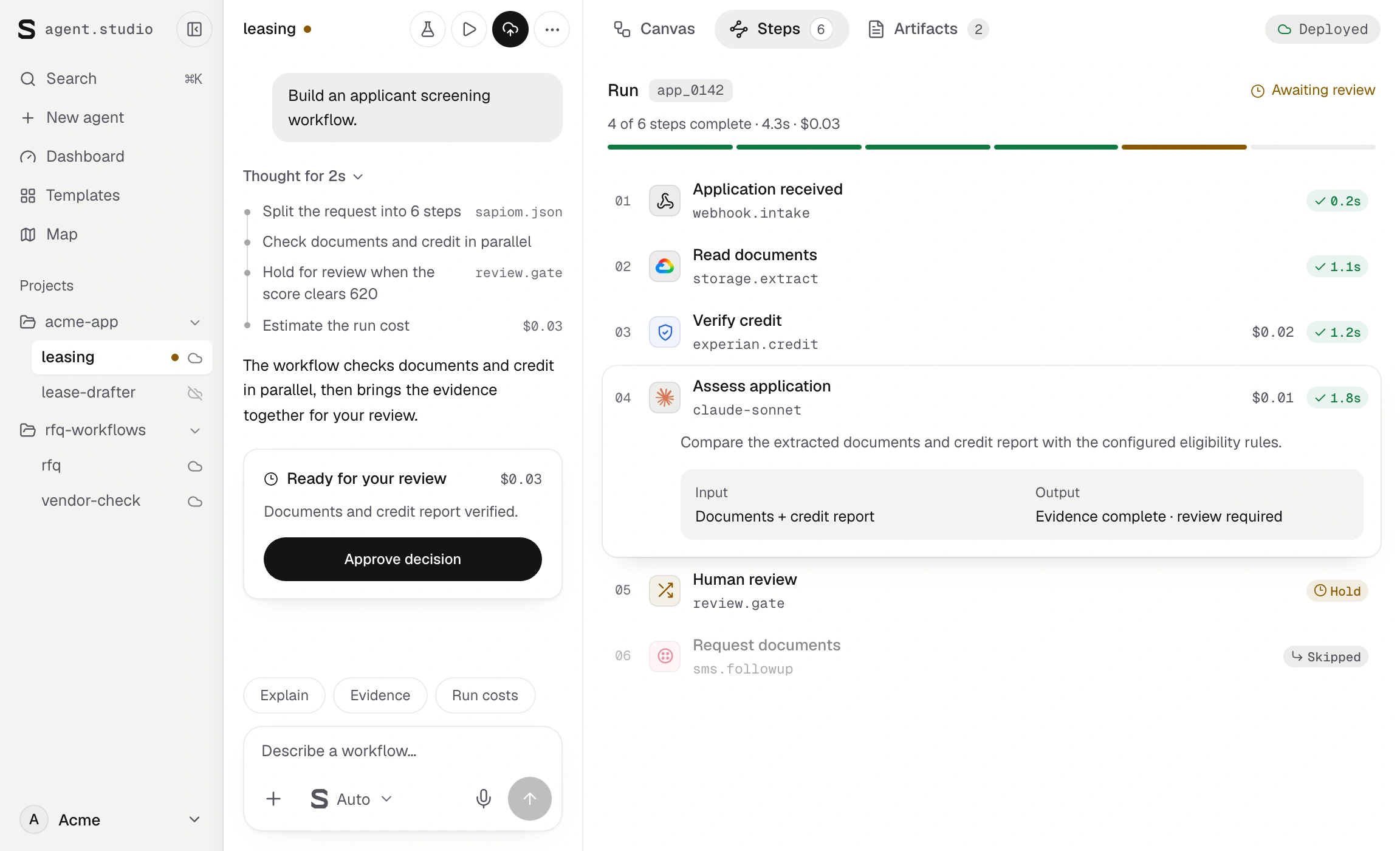
Keep the conversation, editable plan and run evidence together. Show each change in context, with controls to revise the plan or stop a run.
Chat, workflow and run details together

From the workspace to a nested agent

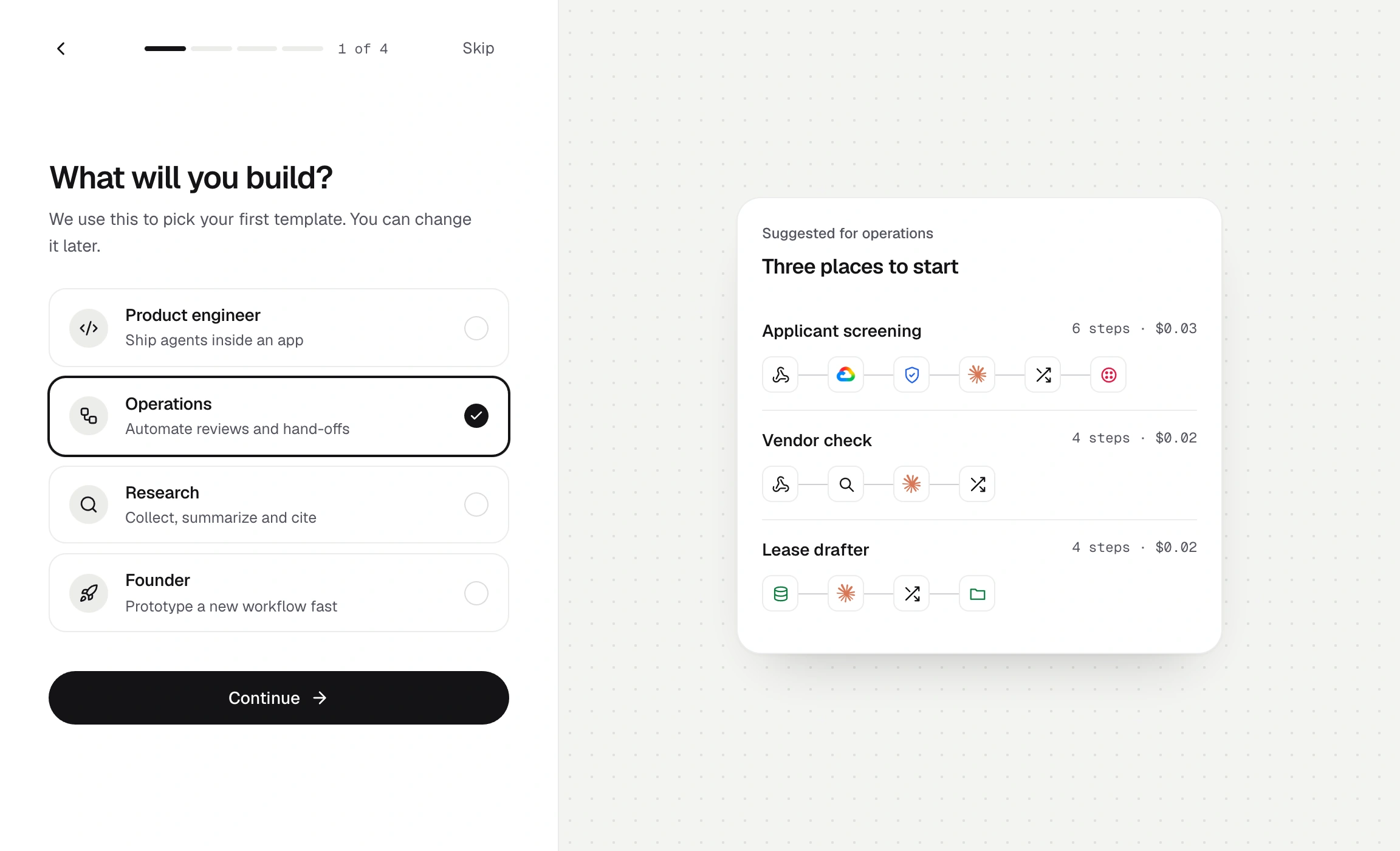
From sign-up to a testable agent
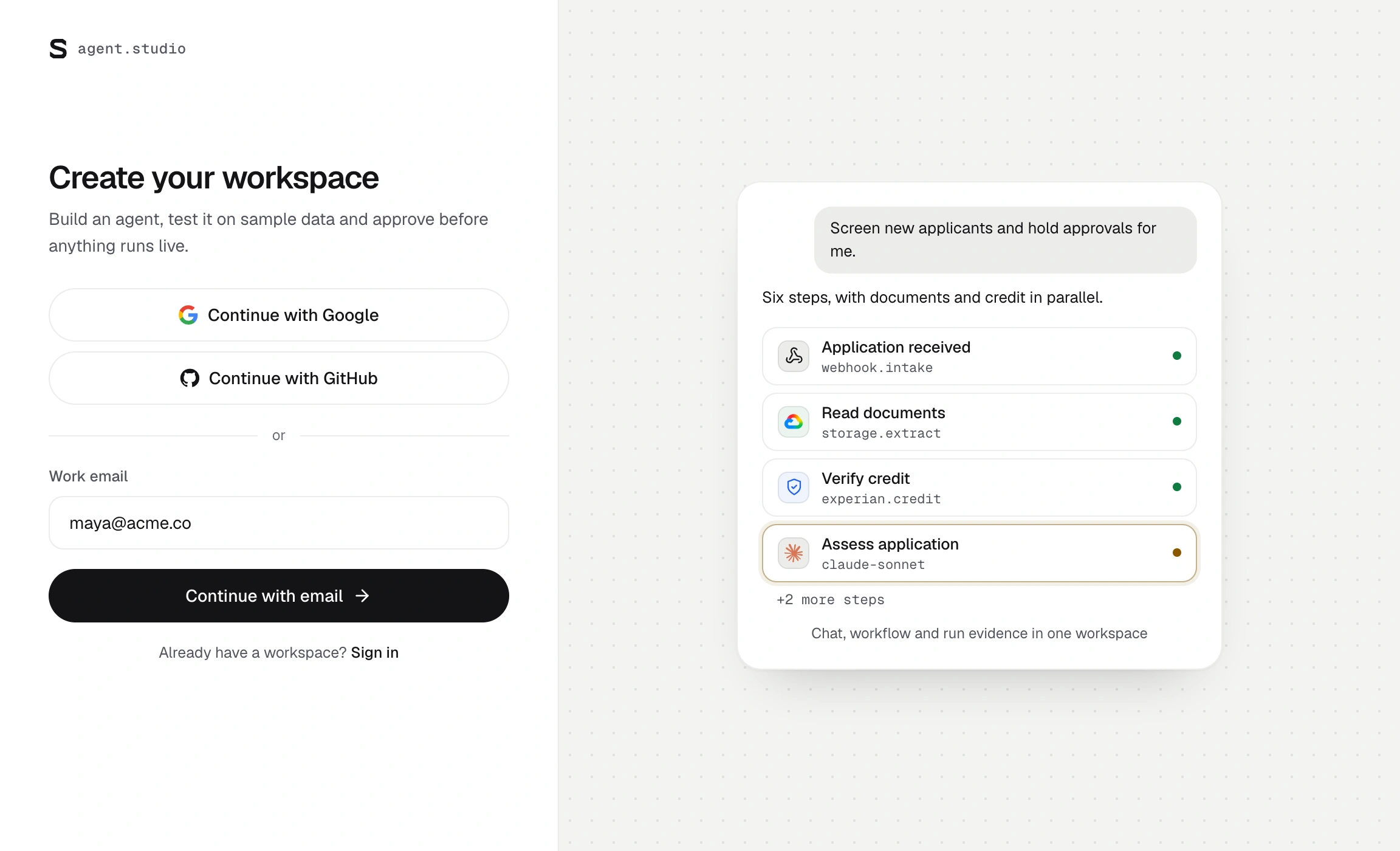
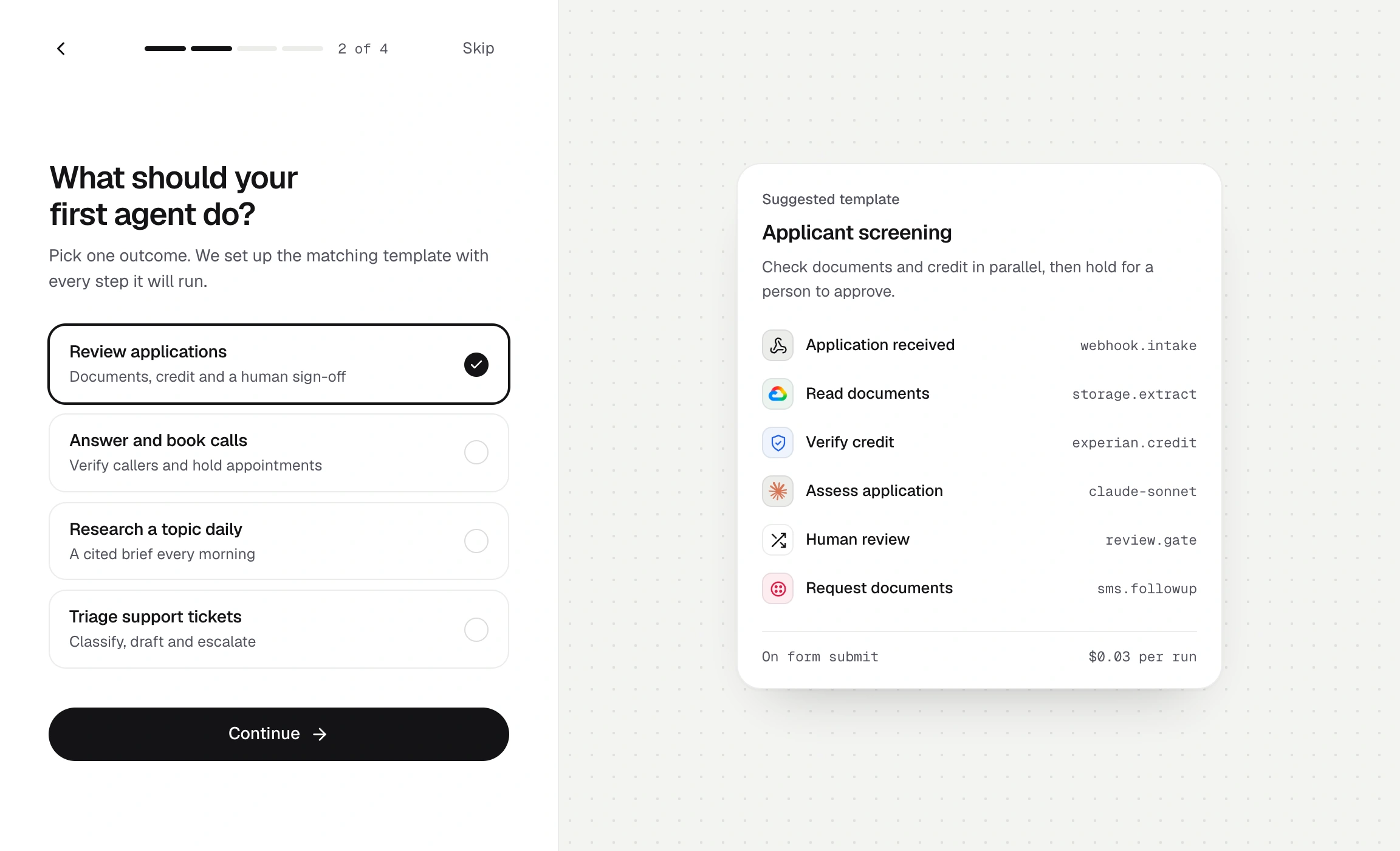
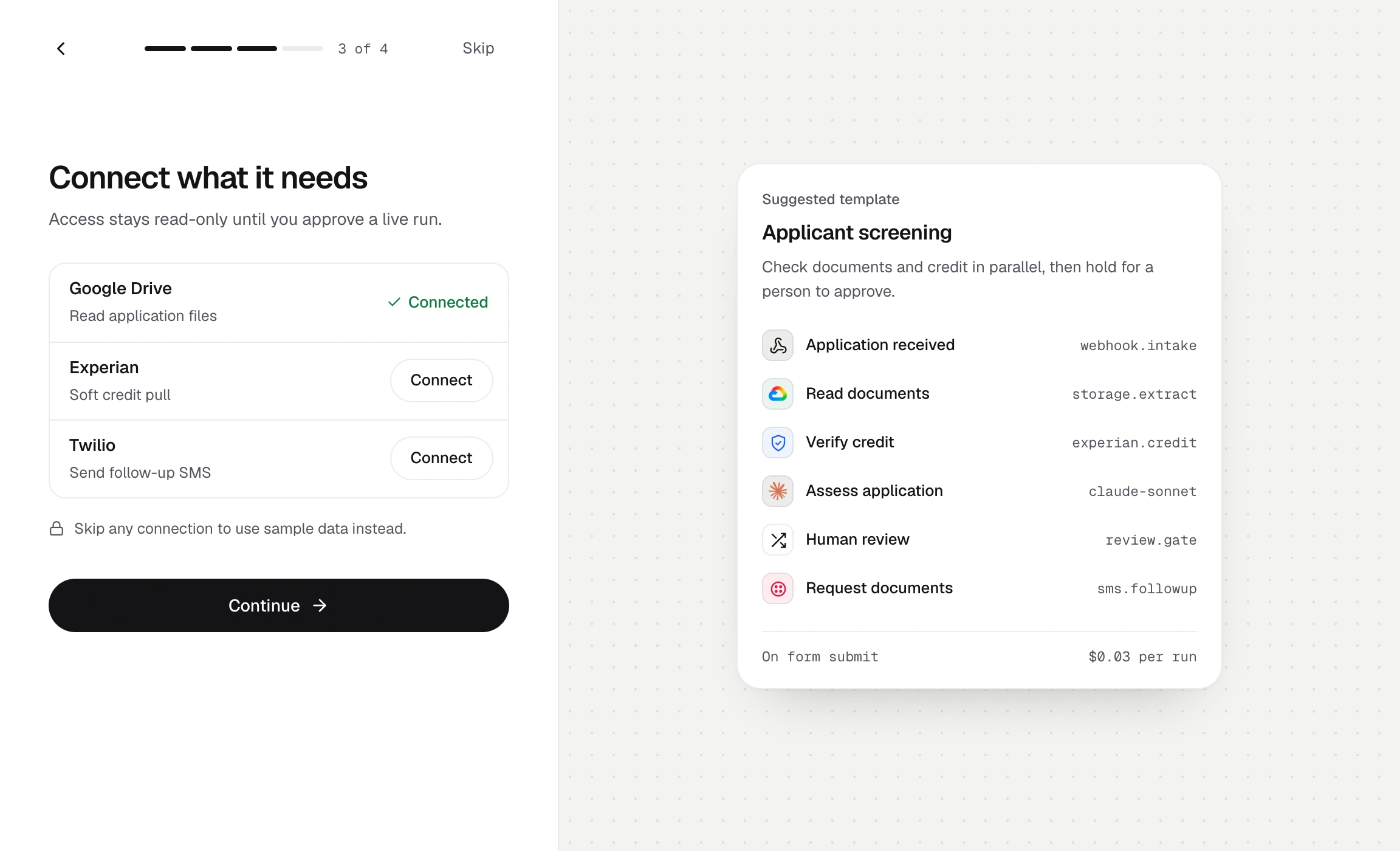
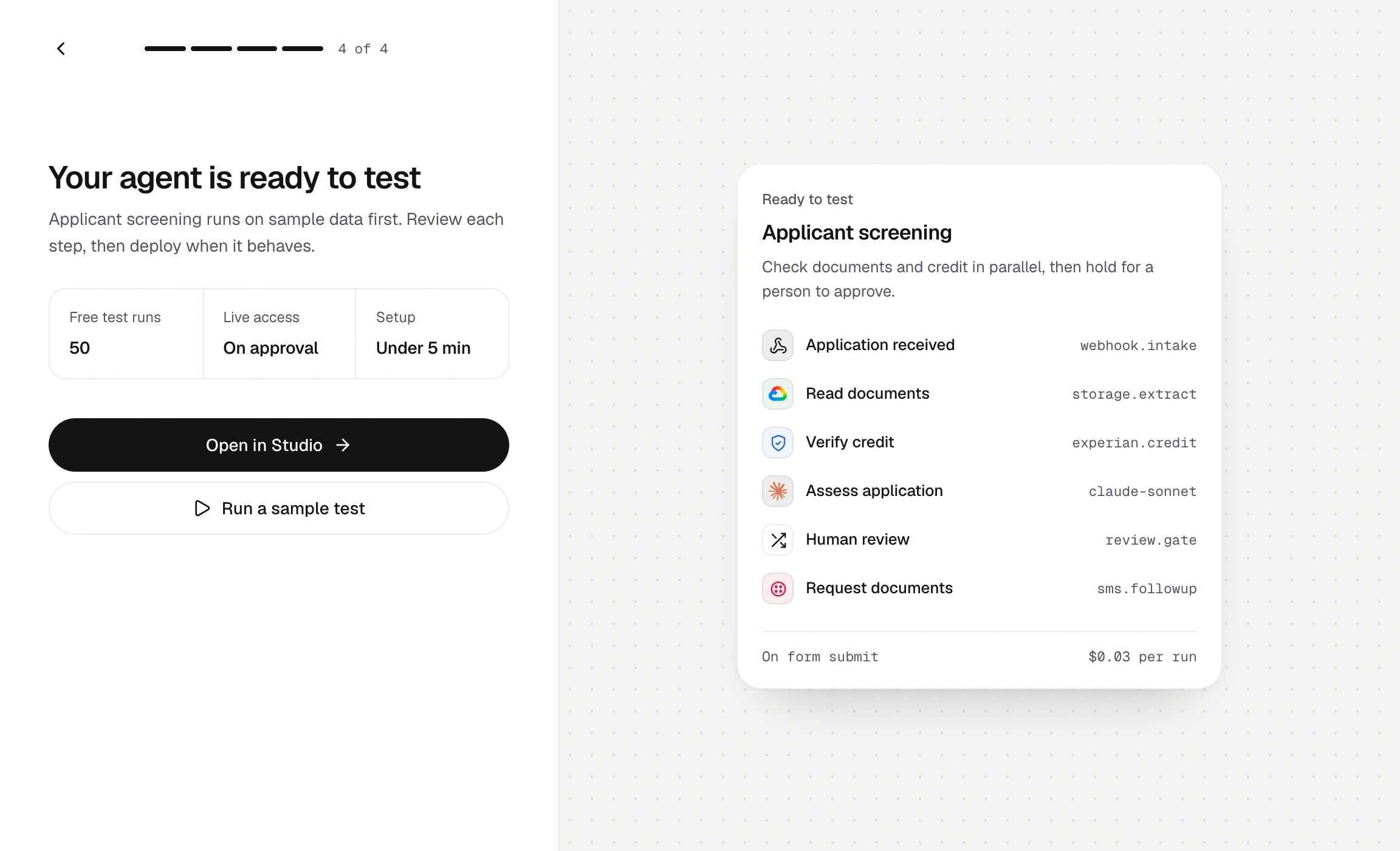
Create a workspace
From a template to a running agent
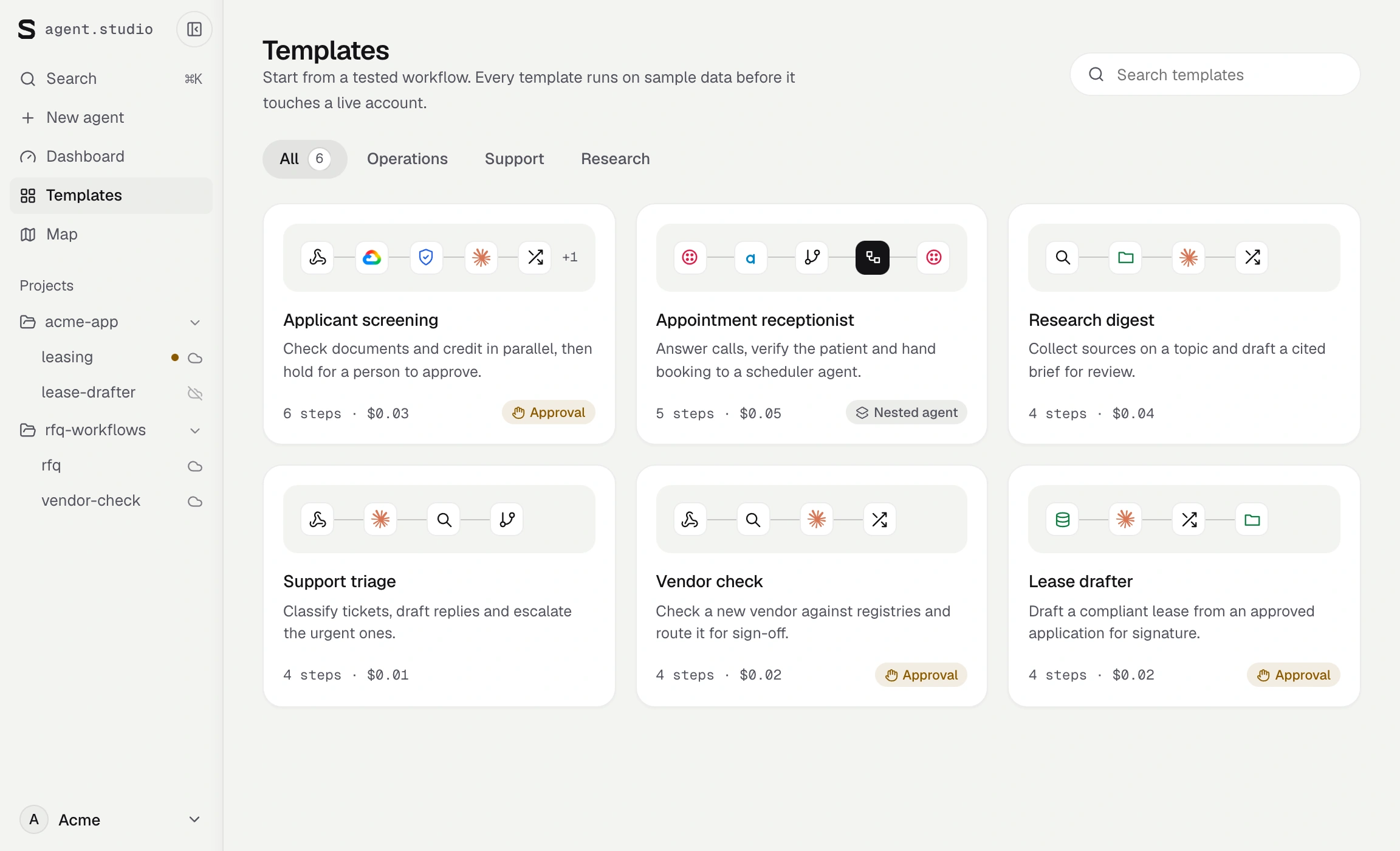
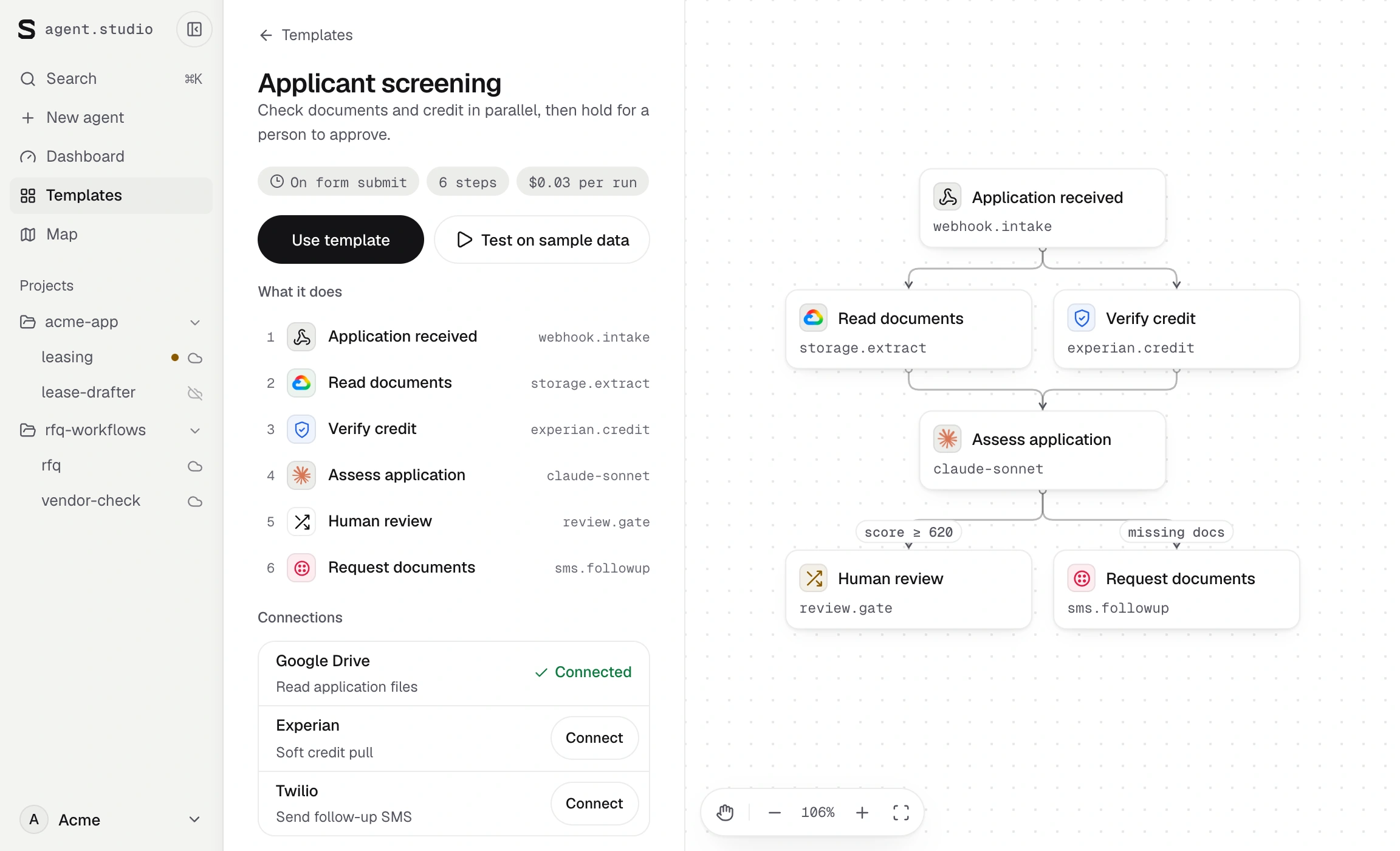
Browse
From building an agent to operating it
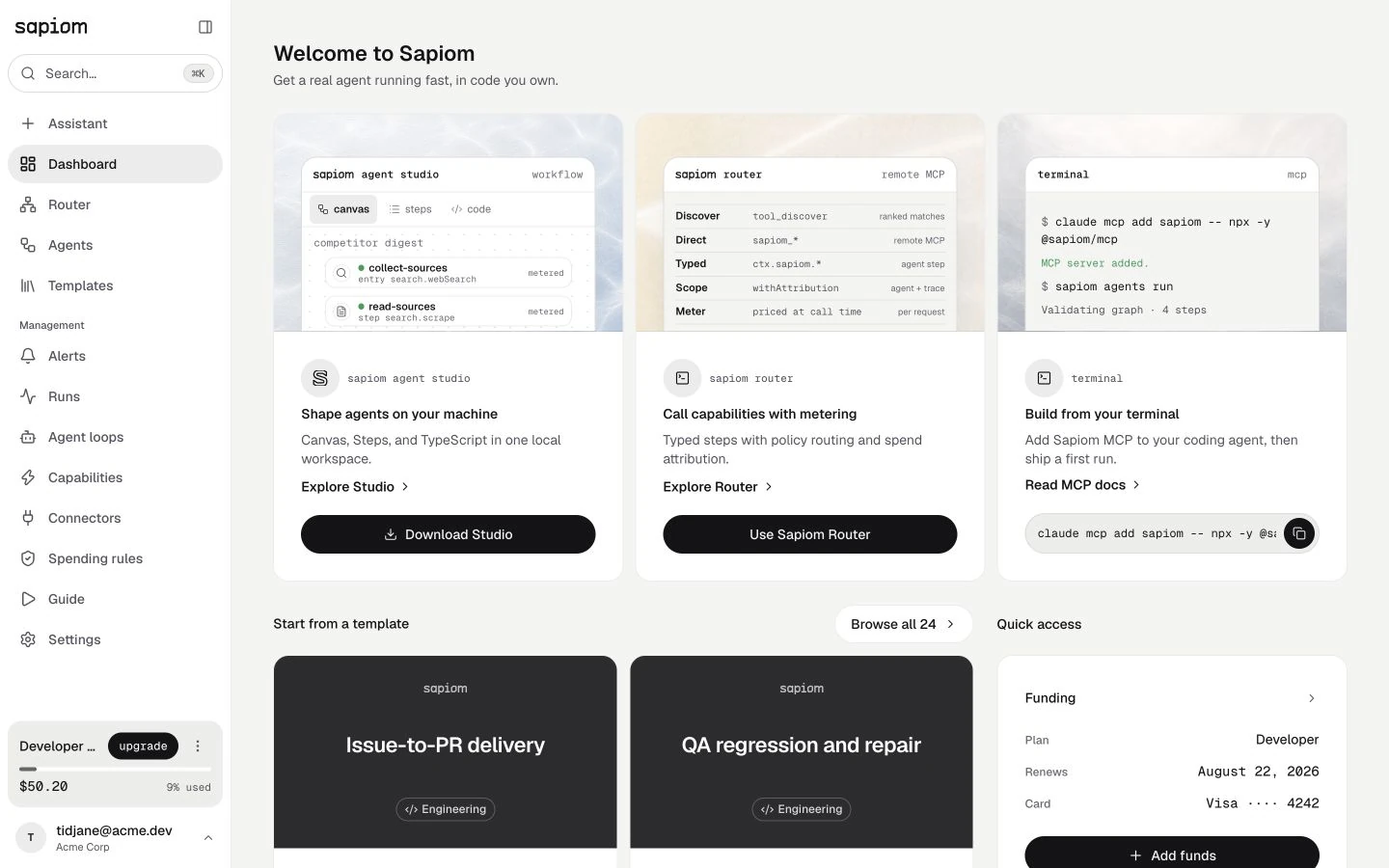
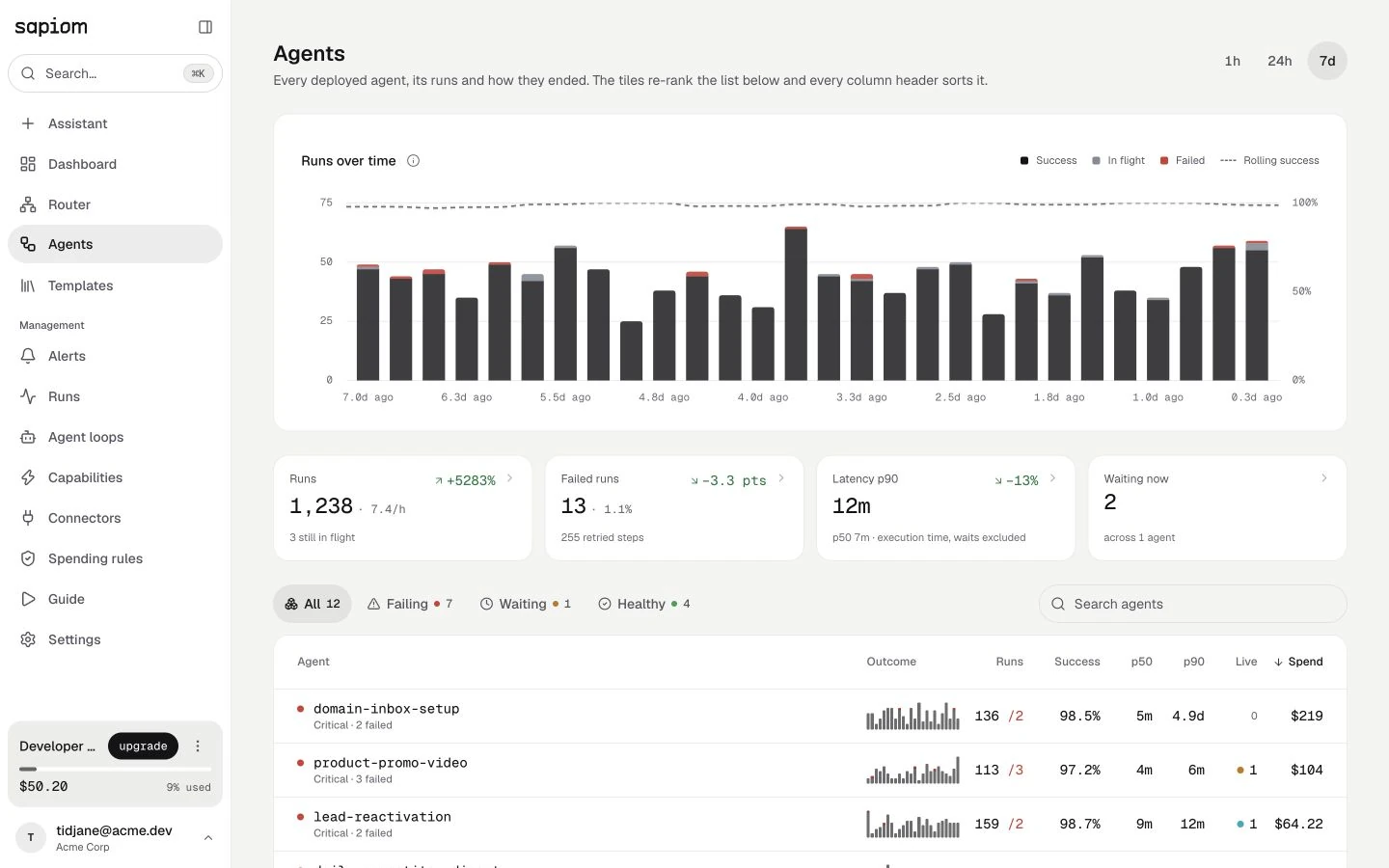
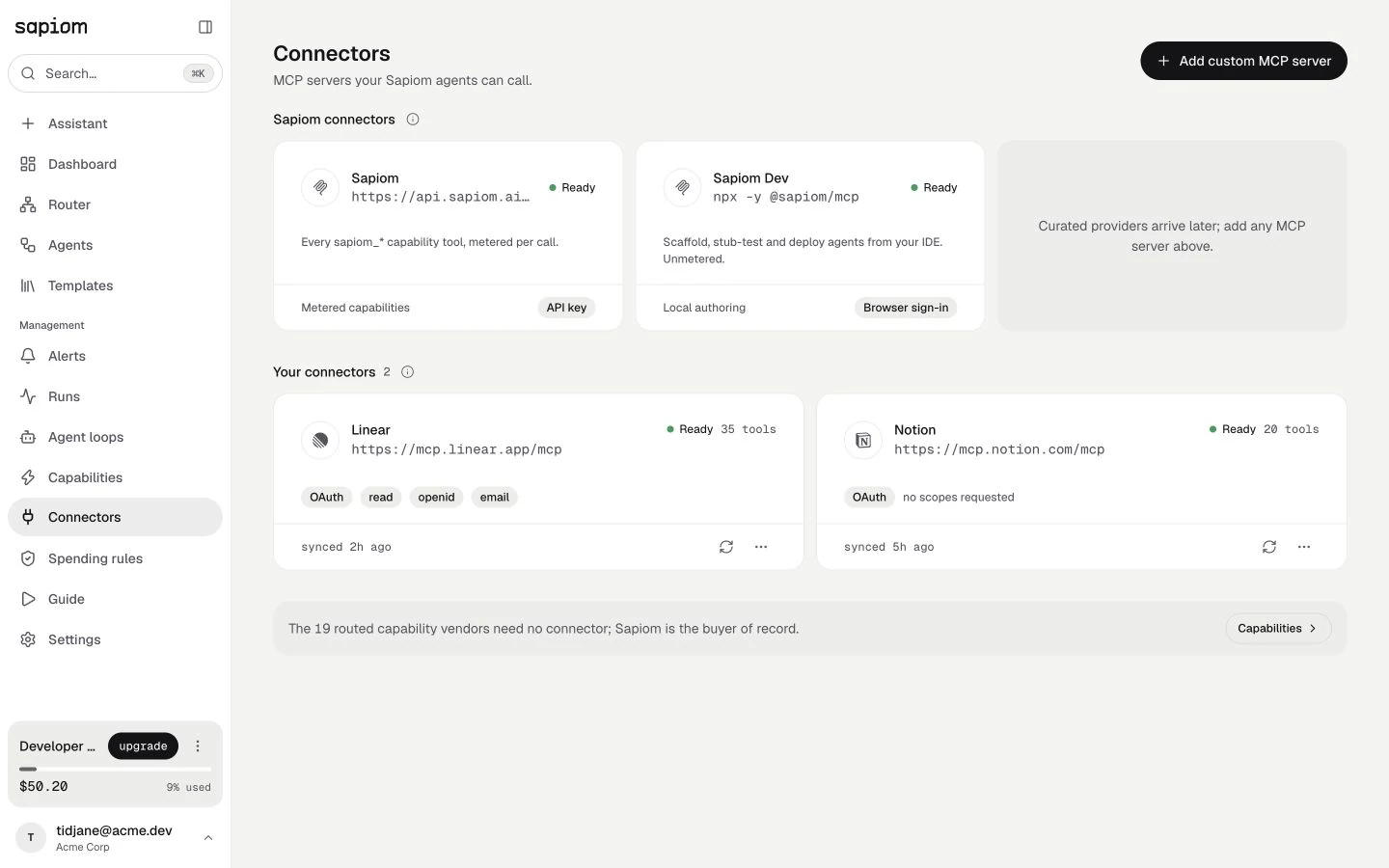
Start in one workspace
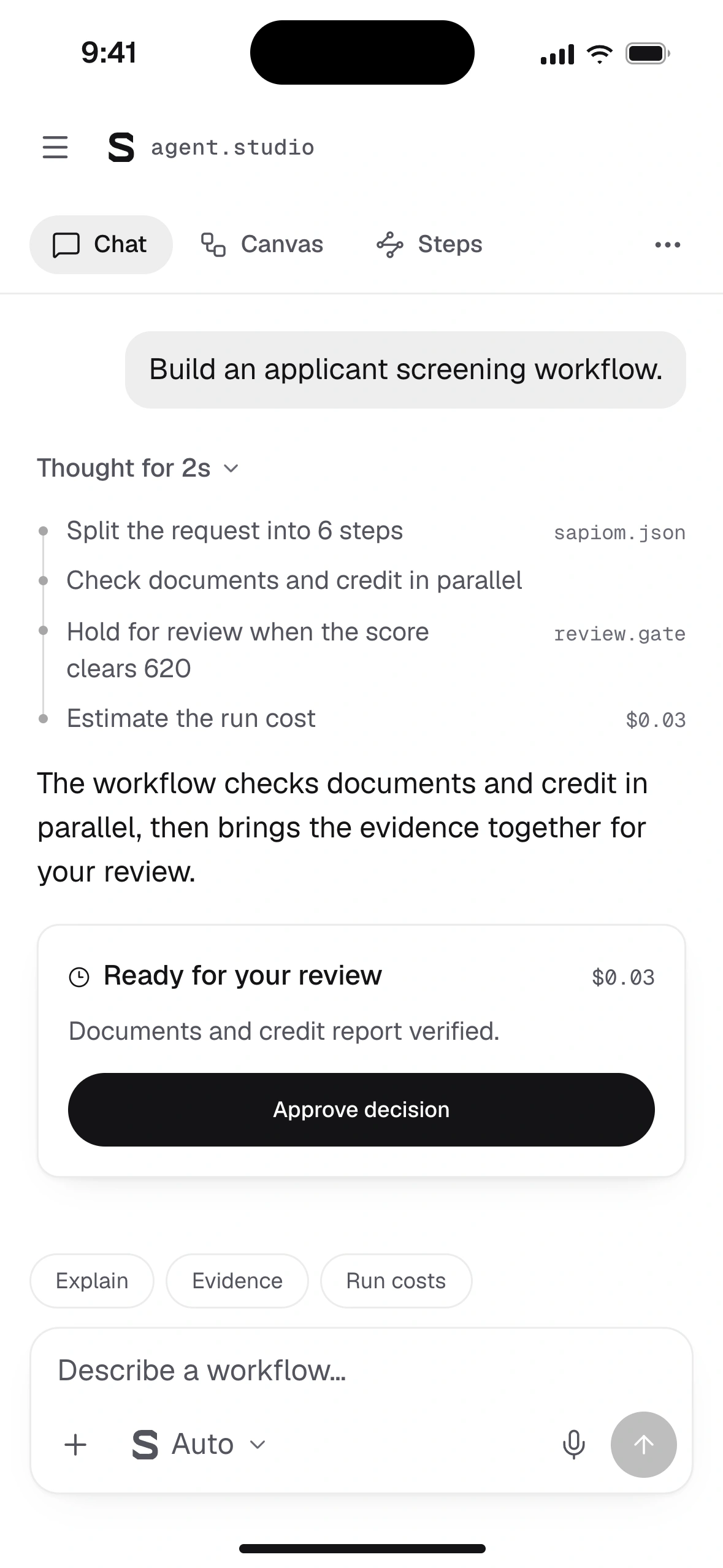
Agent studio on mobile
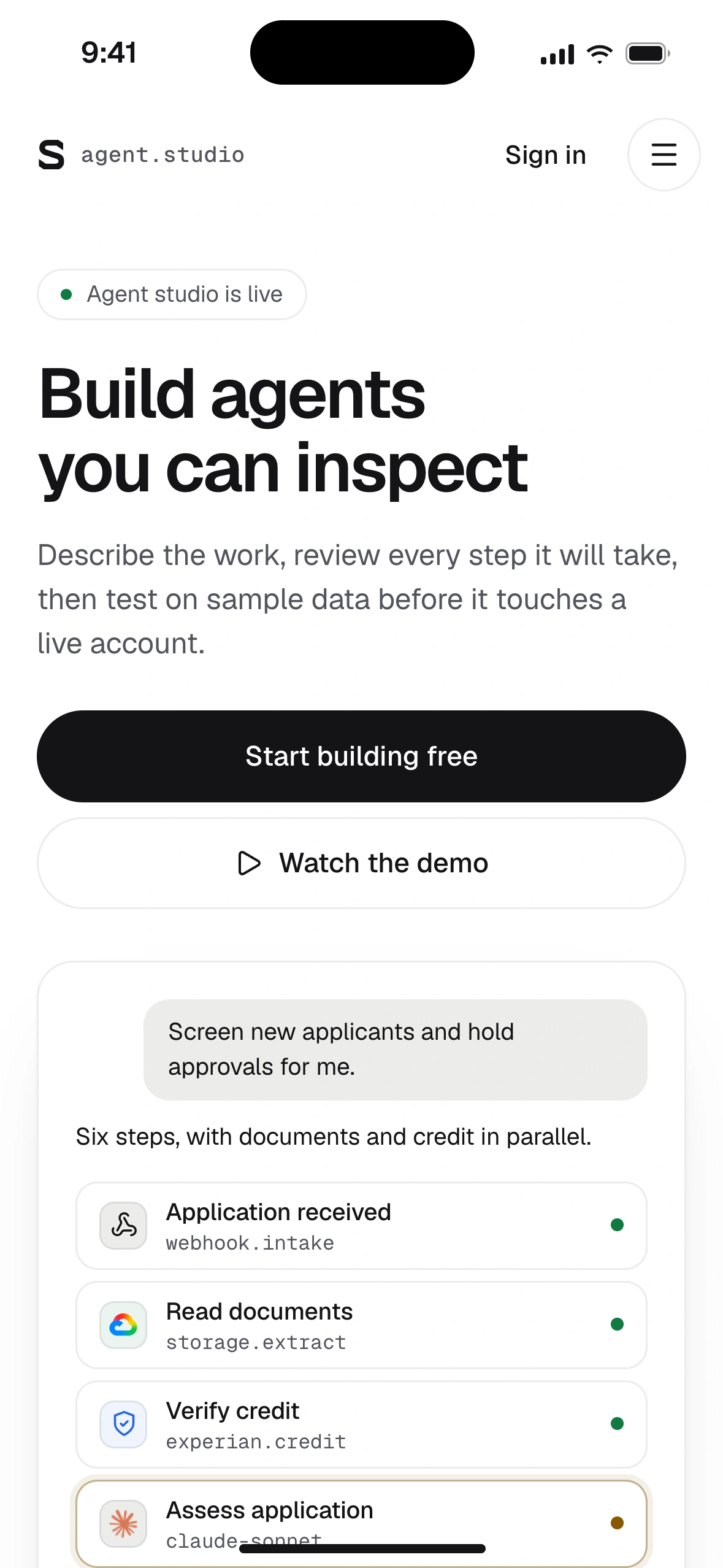
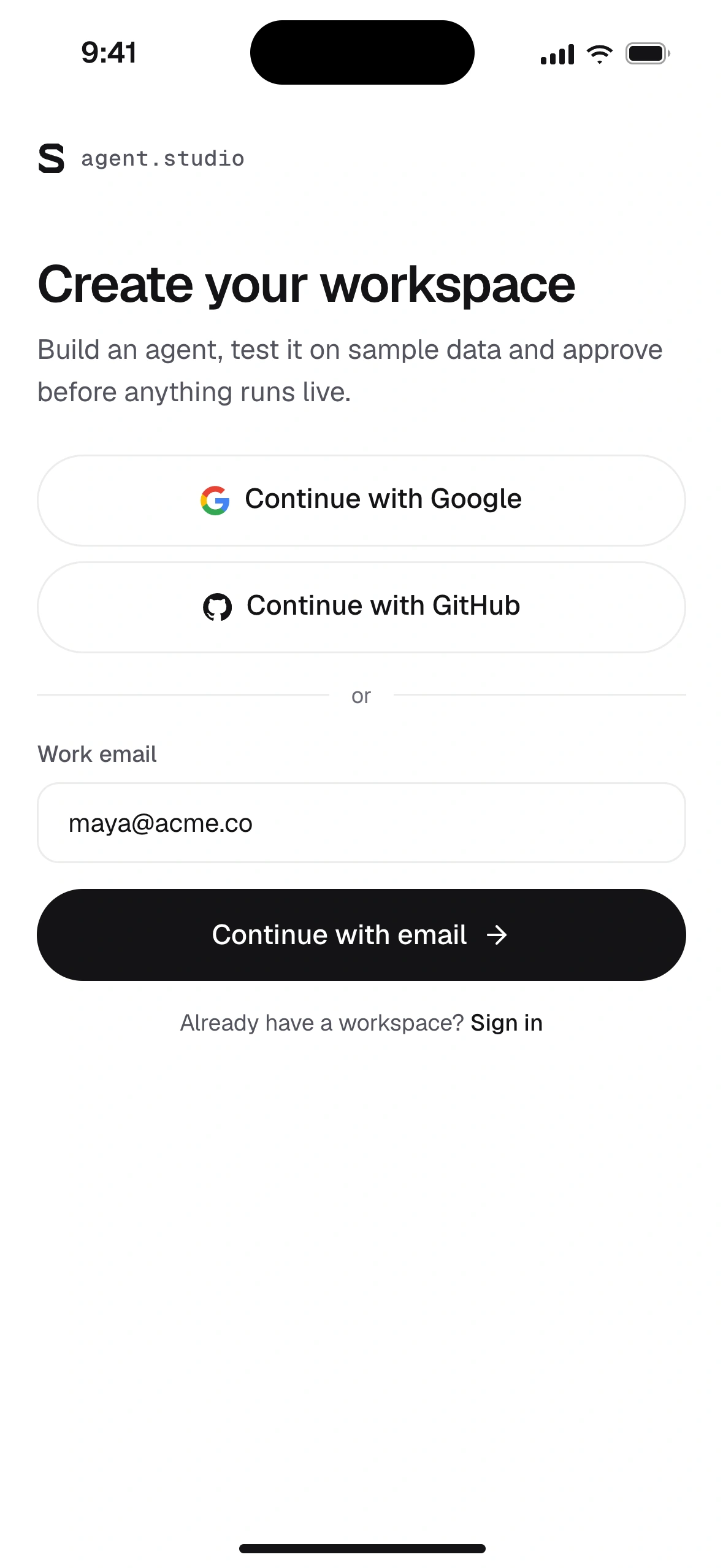
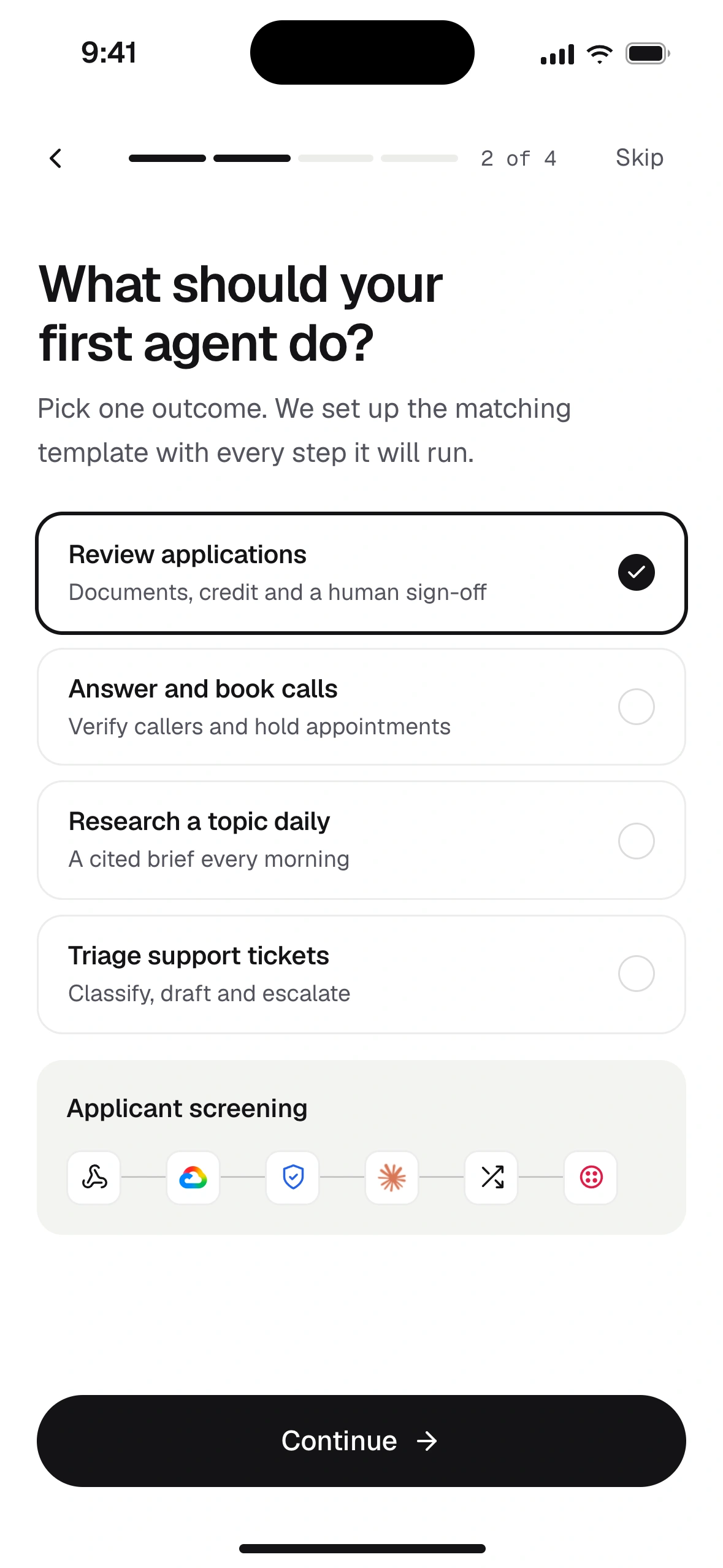
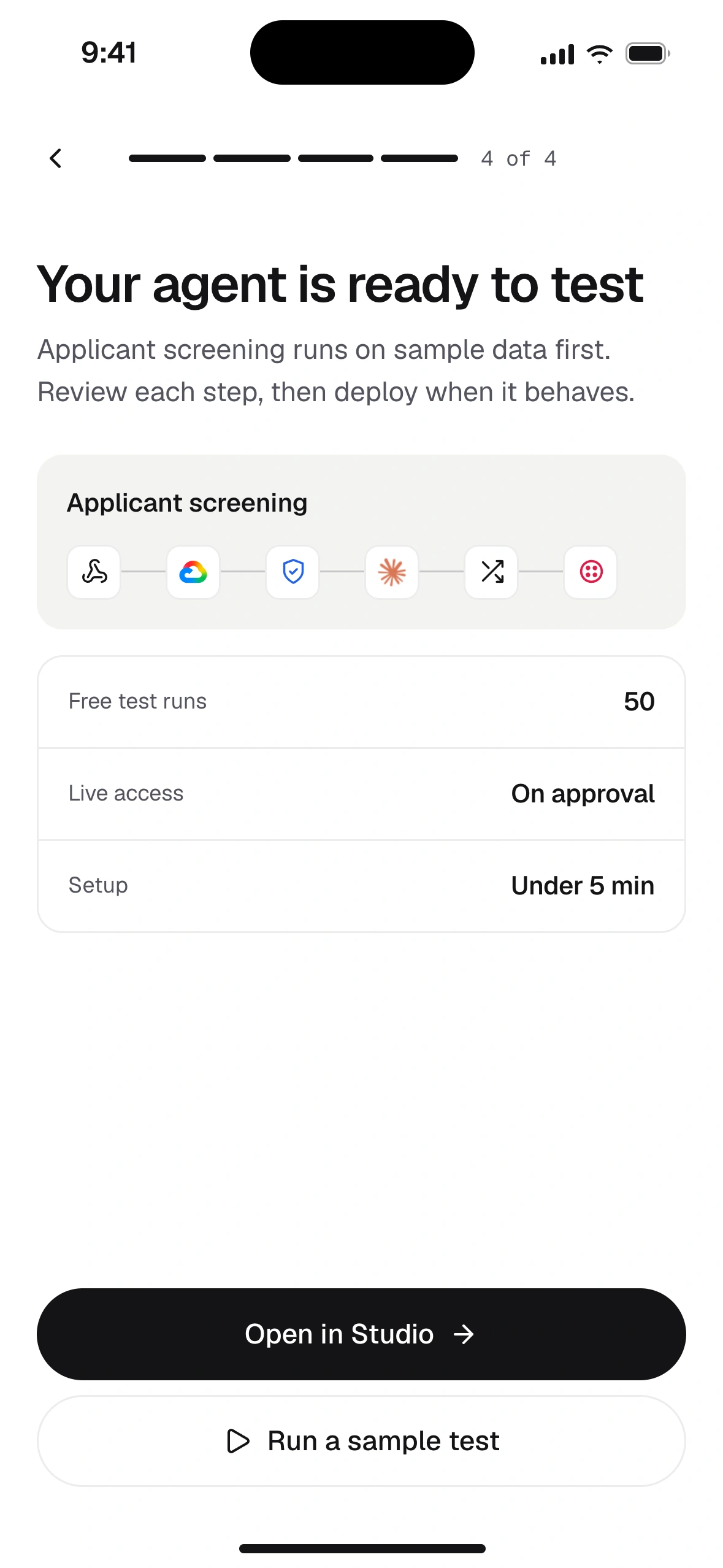
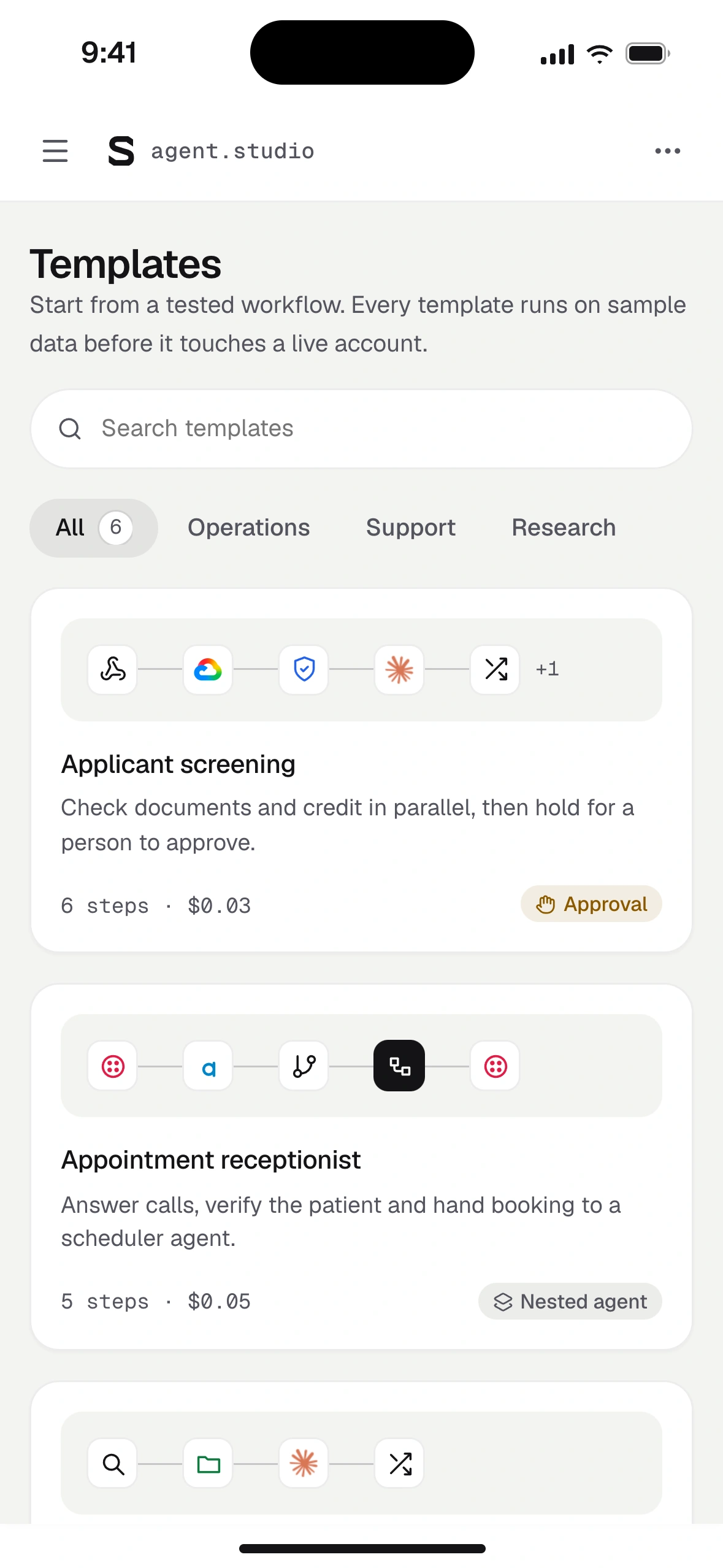
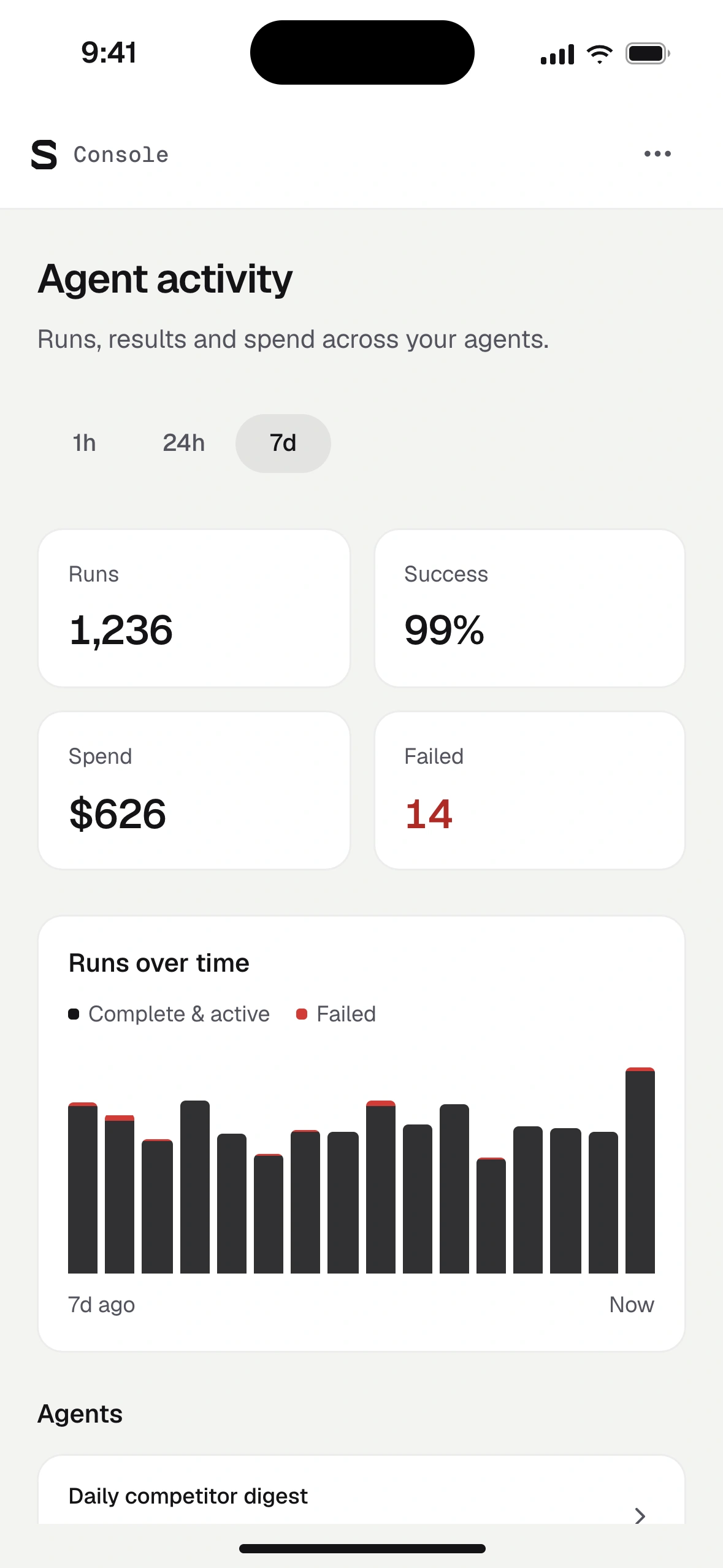
Start from the promise
Shared components and code

Visual & token foundations
Components in context
A local specimen. Inspect its appearance without running an action.
Approve live run
leasing · local test passed
- Tools
- Your accounts
- Estimated cost
- $0.03
Inspect the system
--surface-raisedComponent surface--inkPrimary control--amber-textStatus tintDefault appearance · waiting status. Preview only.
Six roles, one palette
- Canvas
- Surface
- Action
- Complete
- Waiting
- Failed
Three type roles
Chat, workflow and run details together
Build with a clear plan. Review each step before your agent runs.
credit.check · run_0821 · 0.8s · $0.02
Spacing rhythm4px
Control heights32 / 40 / 44px
Corner radii8 / 12 / pill
Token and component referenceValues, sizing and variants
Color roles
--surface-base#f4f4f2#0b0e13--surface-raised#ffffff#12161d--ink#141417#f4f4f5--green-text#0f7a40#8ce3b0--amber-text#8a5800#eec584--red-text#b02a26#f4a09dSelected source values shown in a local component specimen.
Type and geometry
Geist and Geist Mono
- Heading
- 16px · 500 · -0.015em
- Interface
- 14px · 400 / 500 · 1.5
- Telemetry
- 12px · mono · tabular
4 · 8 · 12 · 16 · 20 · 24 · 32 · 40 · 48 px
Control heights- Compact · 32pxToolbars and dense desktop panes
- Default · 40pxButtons, fields and the composer
- Touch · 44pxEvery mobile target
8px · 12px · Pill
One control family
The same shape, action color and focus rule across labels and icons.
- Workflow
- Chat
- Code
- Trace
- Approve
- Folder
- Copy
- Run
Engineering practices
Small implementation choices that hold the system together.
Semantic colors
Widgets read semantic tokens, so light and dark swap in one place.
Implementation
background: var(--surface-raised); border: 1px solid var(--ui-line);Tints from one source
Status fills mix from their text token and keep contrast in both themes.
Implementation
background: color-mix( in srgb, var(--green-text) 12%, var(--surface-raised) );Widgets size to their slot
Ledger and composer reflow by container width, inside the case study or the app frame.
Implementation
container-type: inline-size; @container (max-width: 420px) { … }Visible keyboard focus
Ink rings appear for keyboard users; pointer clicks stay quiet.
Implementation
button:focus-visible { outline: 2px solid var(--ink); outline-offset: -3px; }Motion that can stand still
Run steps and panels settle instantly when less motion is requested.
Implementation
@media (prefers-reduced-motion: reduce) { animation: none; }Steady, announced status
Costs and durations hold their width, and run state reaches screen readers.
Implementation
font-variant-numeric: tabular-nums;
<span role="status">…</span>
Research behind the workflow
| Pattern | References | Design decision |
|---|---|---|
| Plan review before execution | Parse the request into an inspectable step plan first. Ask a question only when the answer changes a card, and keep confirmed choices editable before the build. | |
| Synchronized chat and workflow | Bind the conversation and canvas to one shared ledger so every answer updates the graph in the same turn and delegates cleanly to child agents. | |
| Step-level trace and cost inspection | Expose per-step inputs, outputs, latency and metered tool costs directly on the workflow rather than burying them in a separate log stream. | |
| Explicit authority and approval gates | Separate local stubbed test runs from live cloud execution, and pause at a human approval gate before any external write or paid capability call. |











Plan review before anything runs
Request
When a loan application arrives01, read the documents02 and check credit03, then score it against our rules04. Send borderline cases to a reviewer05 and ask for anything missing06.
Changes step 05
Which credit score should send an application to review?
One clause, one step
Each part of the request maps to a visible step, so nothing disappears into the build.
Ask only when it changes a step
The review threshold decides routing in step 05, so it is the one question worth asking.
Cost before commitment
Step count and estimated cost per run sit beside the build action, and every choice stays editable.
Approval before a run leaves the sandbox
Approve live run
leasing · this run calls live services on your accounts
- Tools
- stubbed
- Cost
- $0.00
- Tools
- your accounts
- Est. cost
- $0.03
- Local test passed6 of 6 steps completed in run app_0142
- Credit access is read onlyexperian.credit can pull a soft report, nothing else
- Spend cap set$5.00 per day, this run is estimated at $0.03
- Sends a message outside the sandboxsms.followup texts the applicant when documents are missing
Test and live never look alike
Stubbed tools at no cost on one side, your accounts and an estimate on the other.
Name what leaves the sandbox
External writes are listed with the tool that performs them, so the risk is specific.
Approve something concrete
Scope, spend and test results are checked first, and the decision is recorded with the run.
| Product | Documented capability | Product implication |
|---|---|---|
| Gumloop5 | Guided setup, connector accounts, per-tool approvals and task-level credit costs. | Every capability call needs explicit access scopes, action boundaries and cost attribution, not only a prompt. |
| Zapier6 | Copilot builds and revises automations in context while keeping building and testing separate from live task usage. | Keep draft configuration, local stubbed testing and live production execution visually distinct. |
| Mastra7 | Workflow graphs, step execution, tool outputs, errors and repeatable evaluation datasets. | Make it straightforward to inspect a failed or degraded step, revise the plan and re-run locally. |
Visibility is more common than evaluation
Preparing the launch demo
The concept film, in six scenes
00:03The cost problem 00:15Remove the barriers 00:28Describe the outcome 00:31Build the workflow 00:36Inspect execution 00:49Ship agents
One node, every state it can reach
01Queued
Verify creditexperian.creditQueuedWaits for step 0102Running
Verify creditexperian.creditRunning0.8sCalling the bureau03Waiting on a person
Verify creditexperian.creditWaiting on you4mApprove paid call04Failed
Verify creditexperian.creditFailed10sTimed out, attempt 1 of 305Complete
Verify creditexperian.creditComplete1.2sScore returned
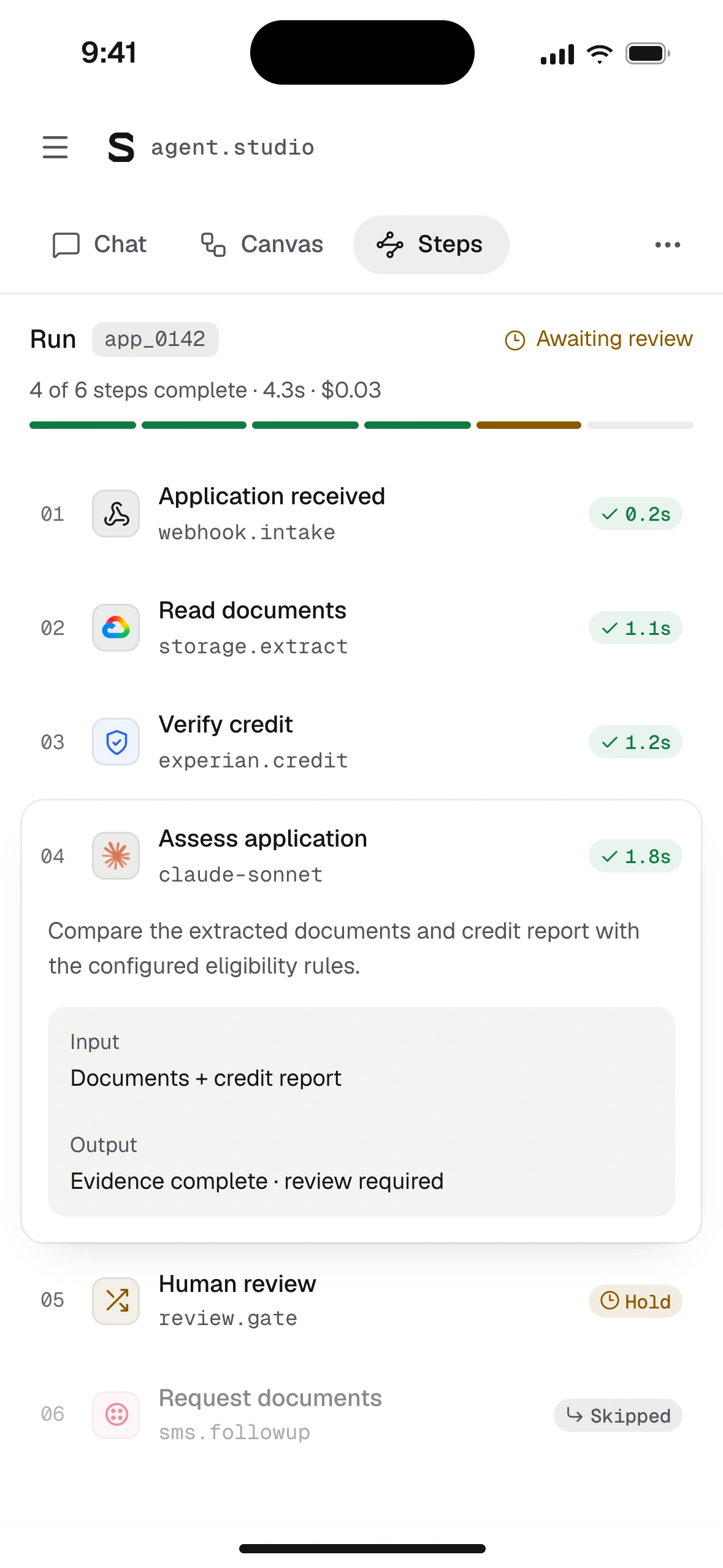
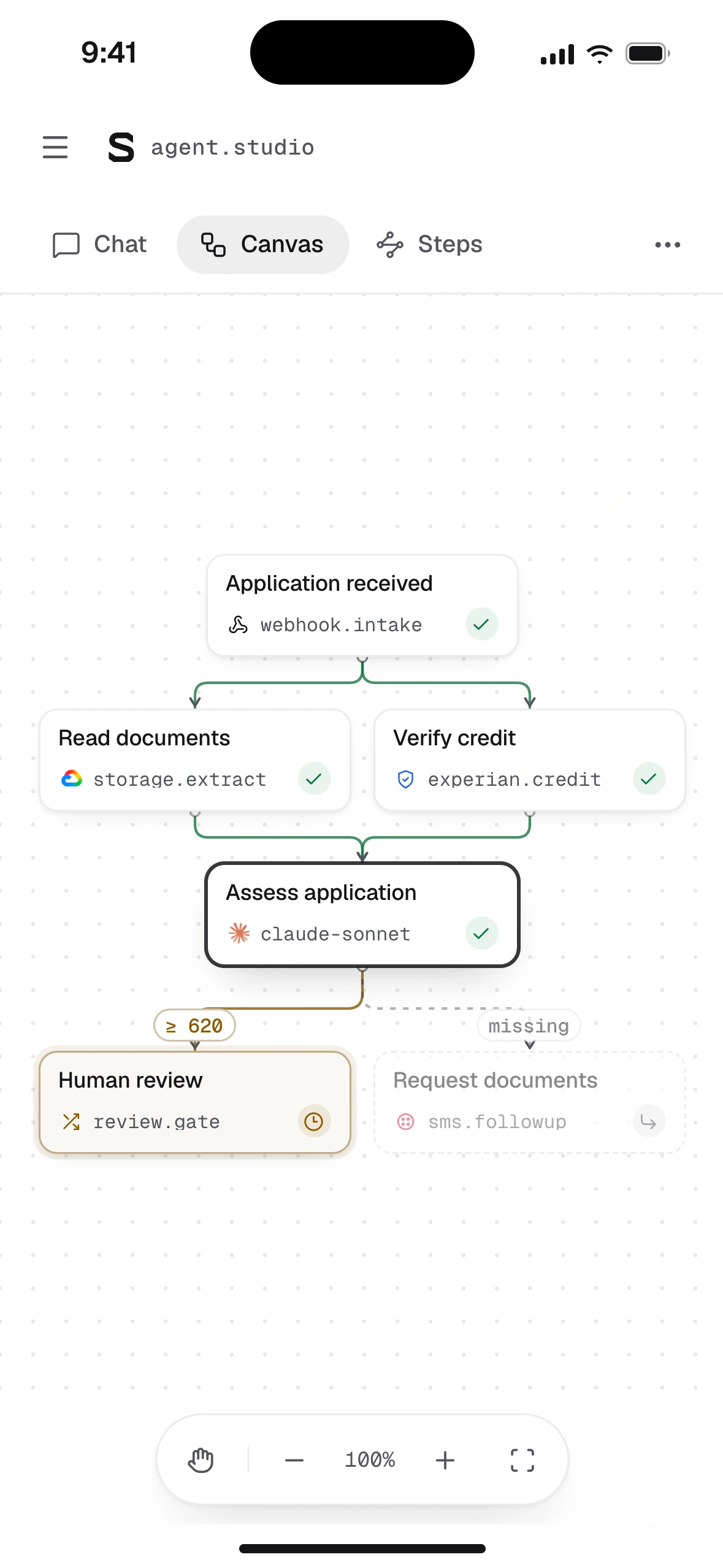
Following one run on a phone
Chat
Approve from the message. Open step jumps to the same step in the other views.
Steps
Scan status and cost. The waiting step carries the same Hold badge as desktop.
Canvas
Structure on demand. A half-height sheet keeps the graph visible above it.
Later demo storyboards
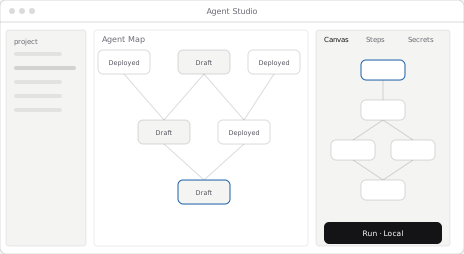
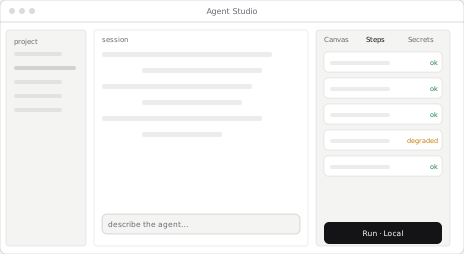
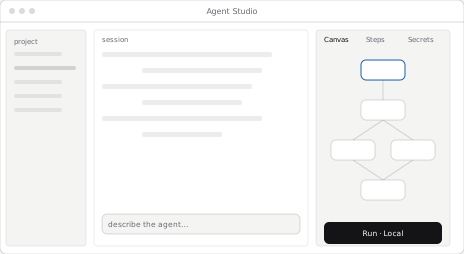
Three products, one platform story
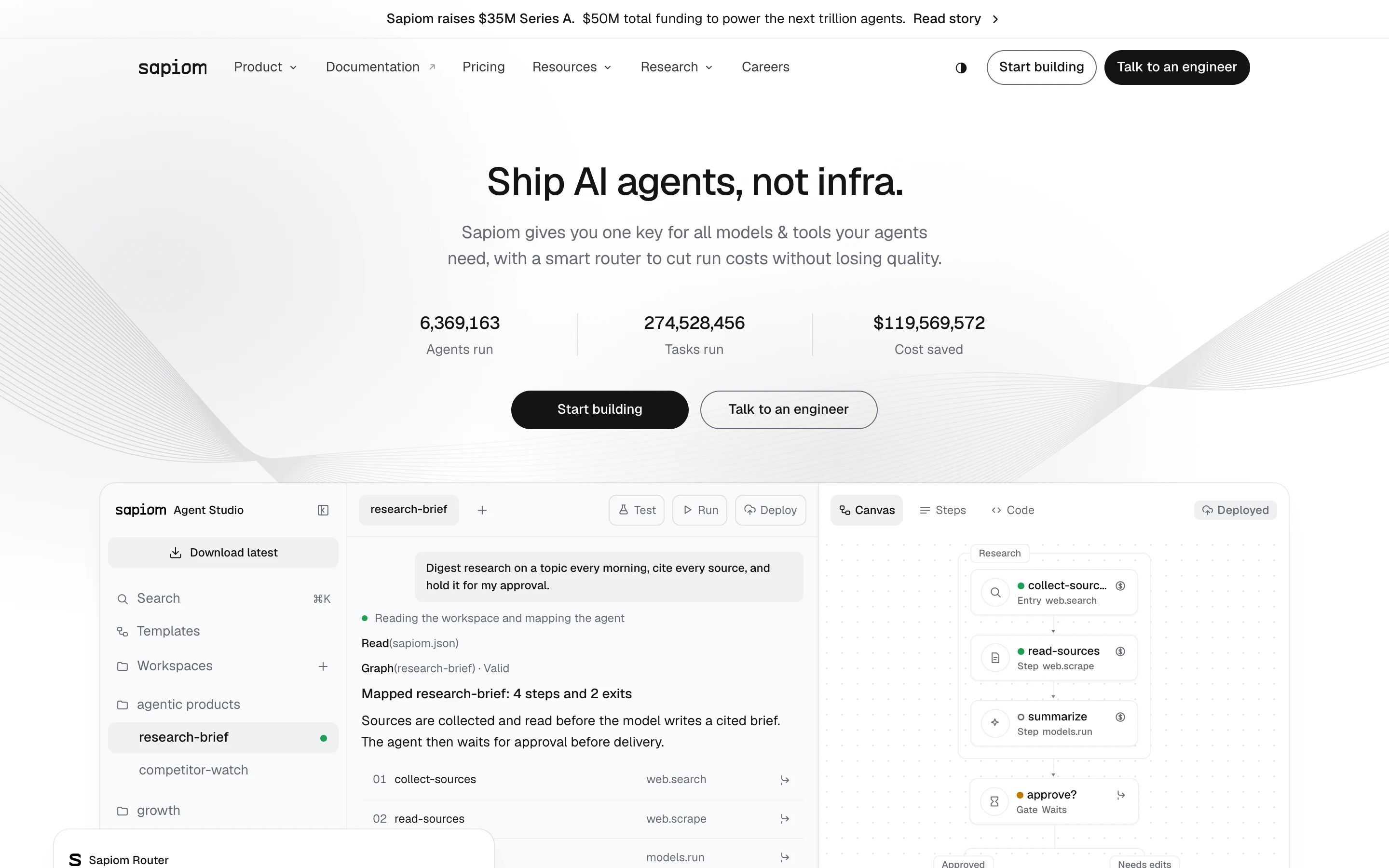
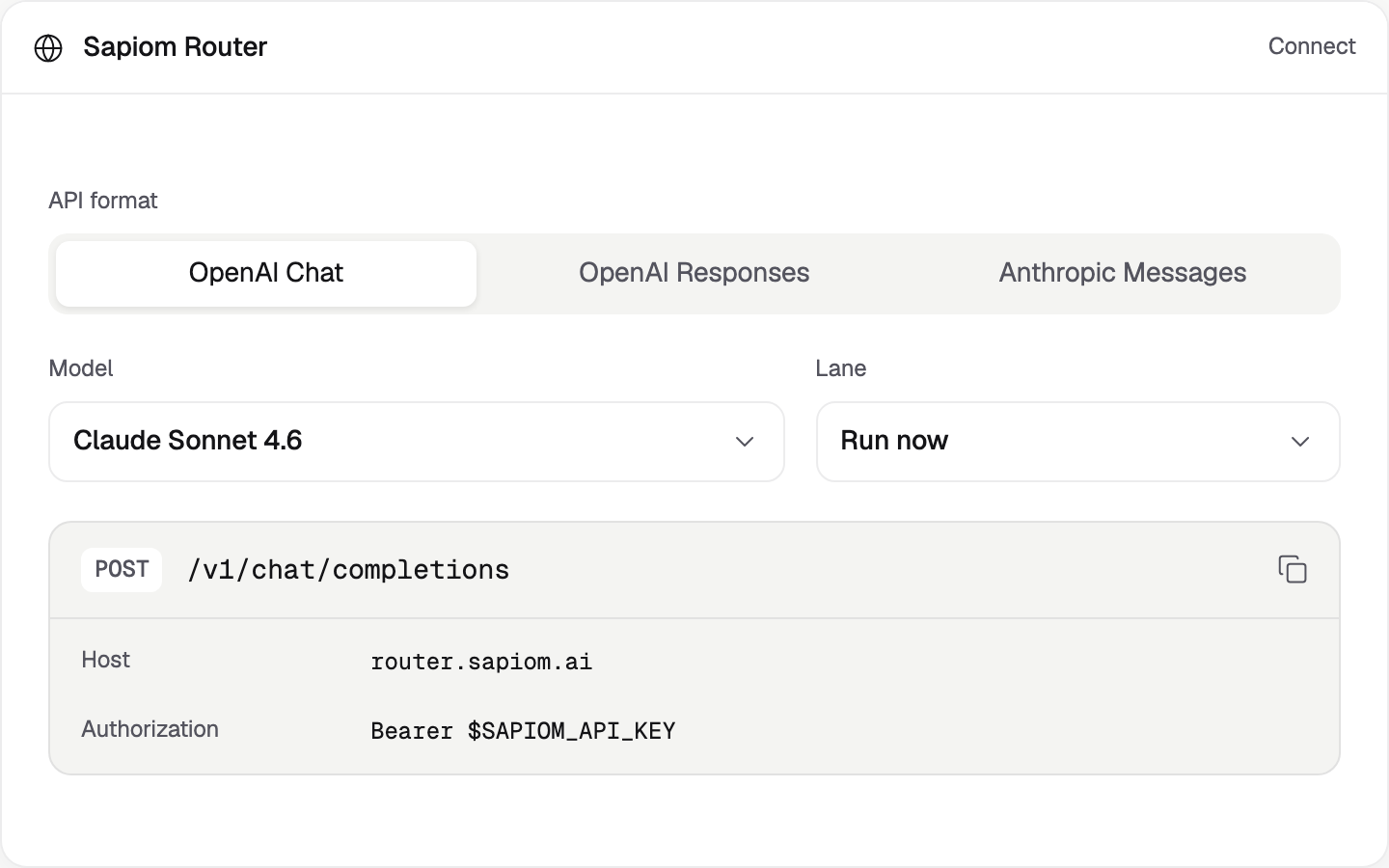
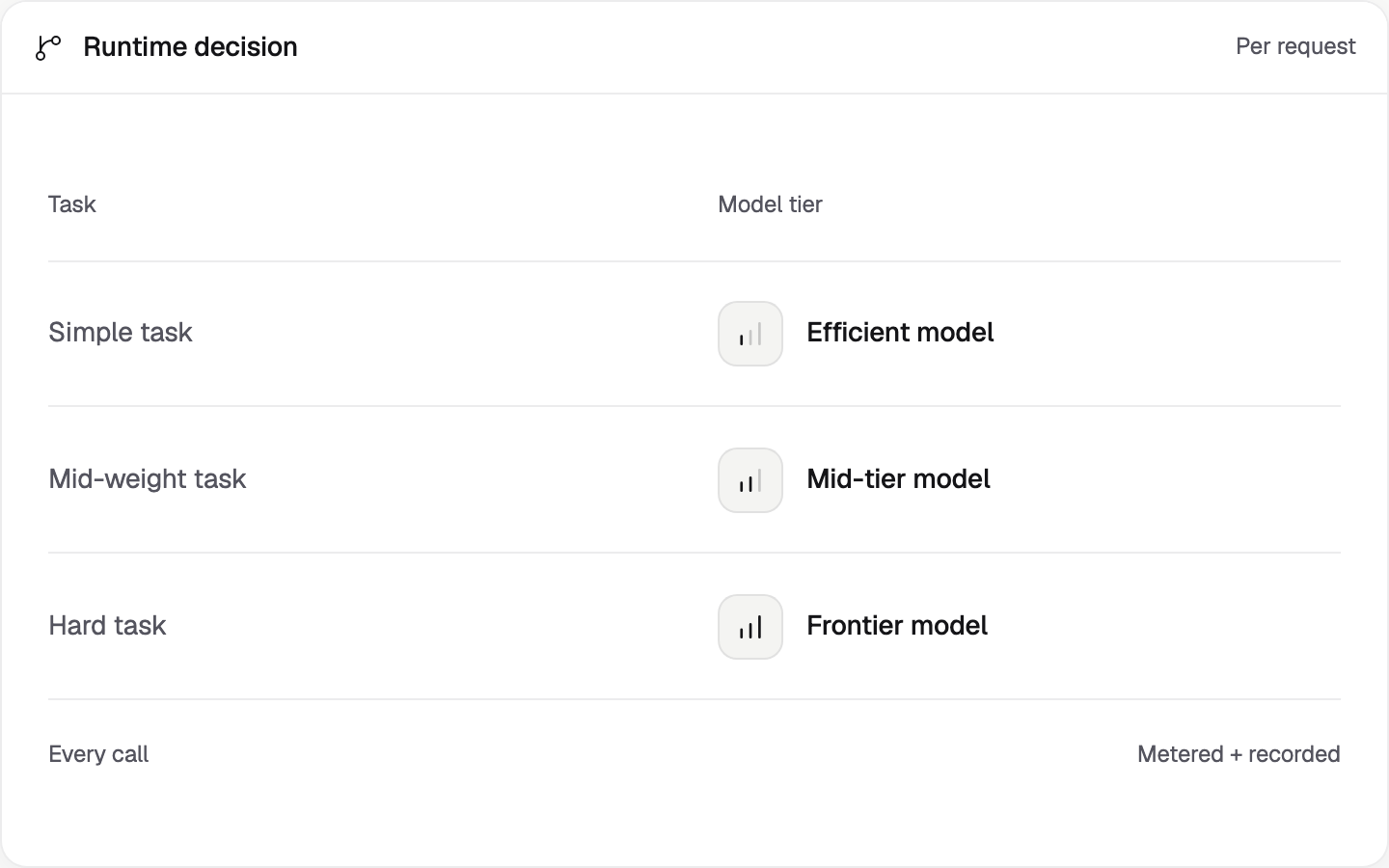
Router
One endpoint, with a model chosen for each request.
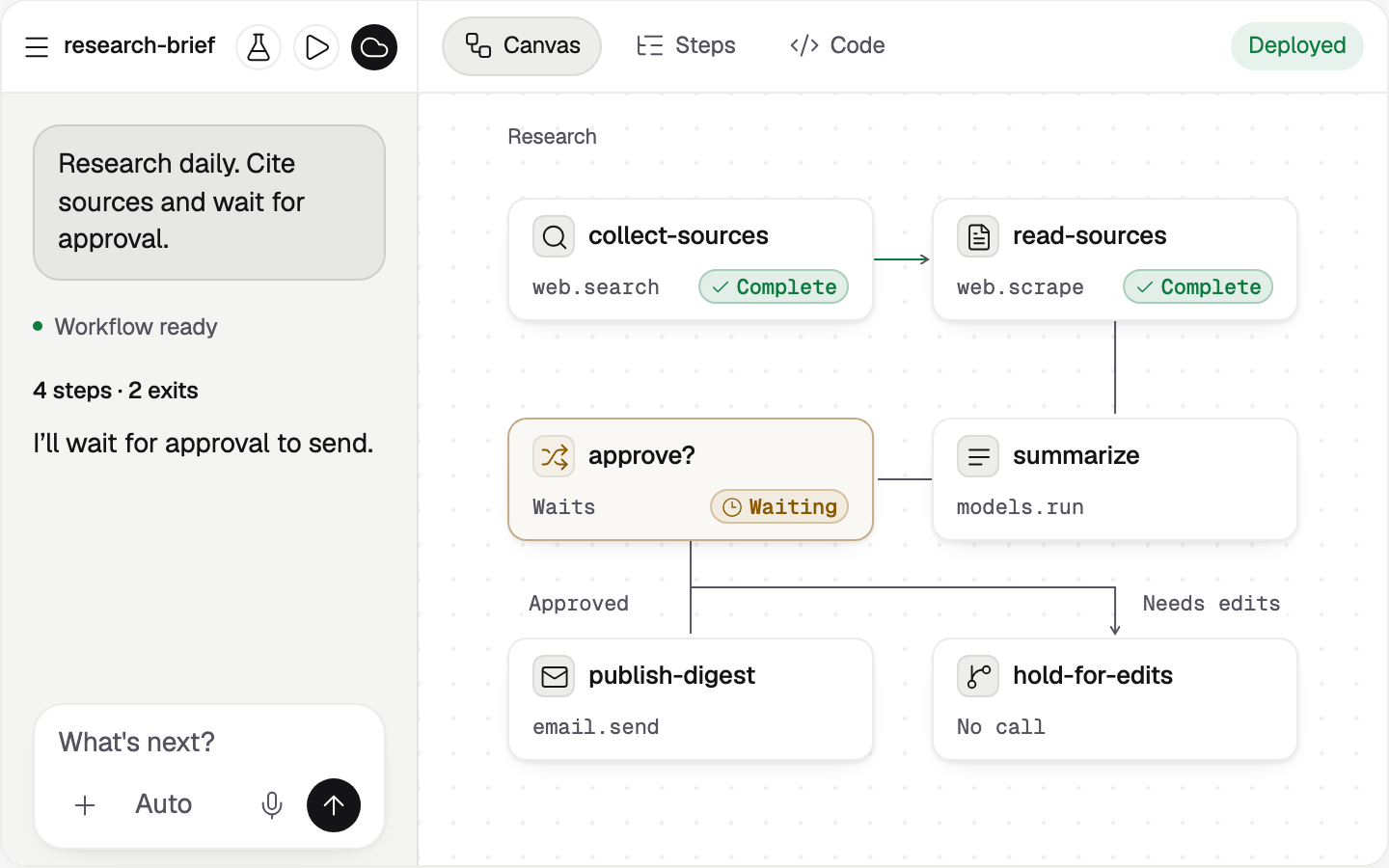
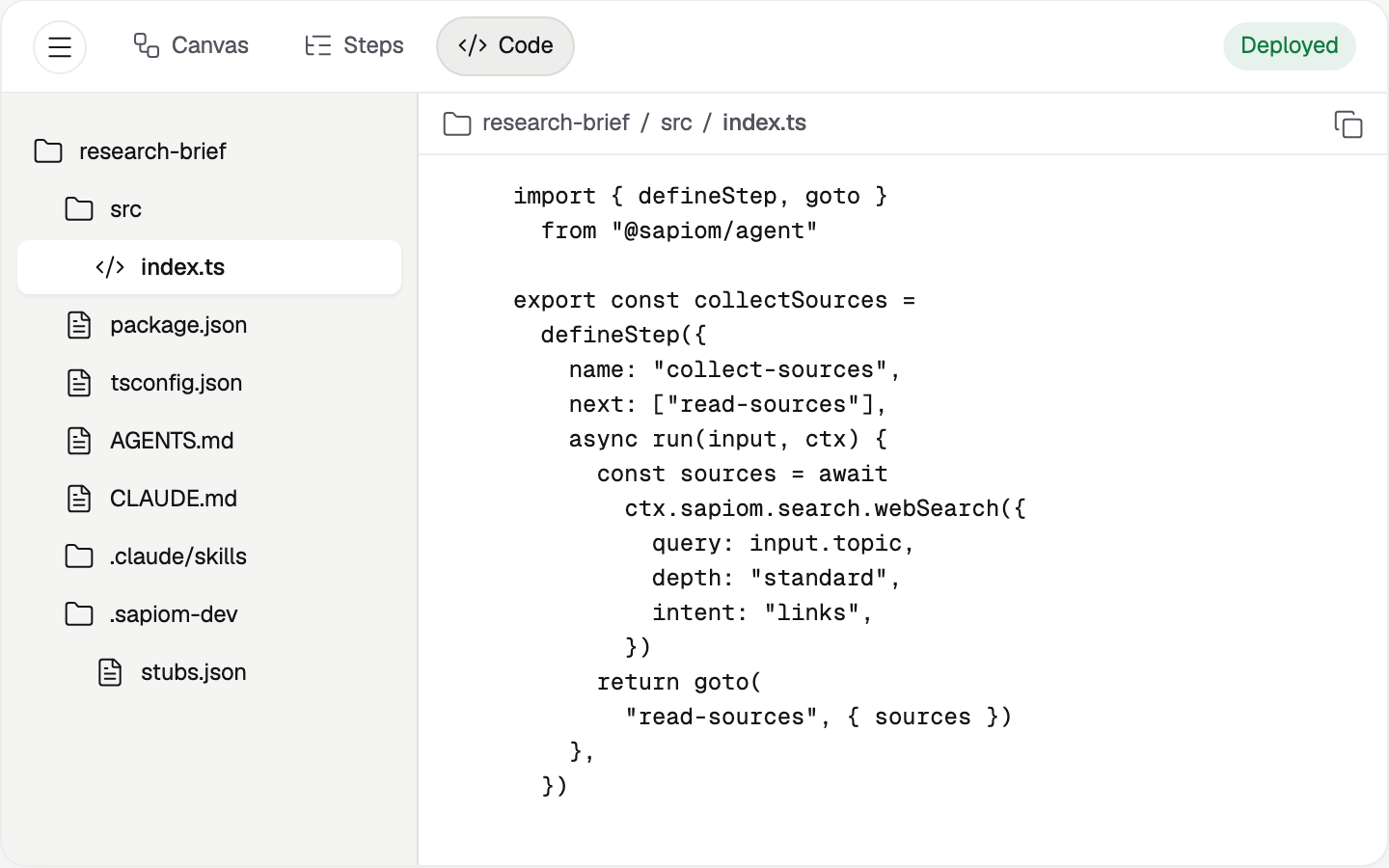
Agent Studio
The request, the workflow and the source behind each step.
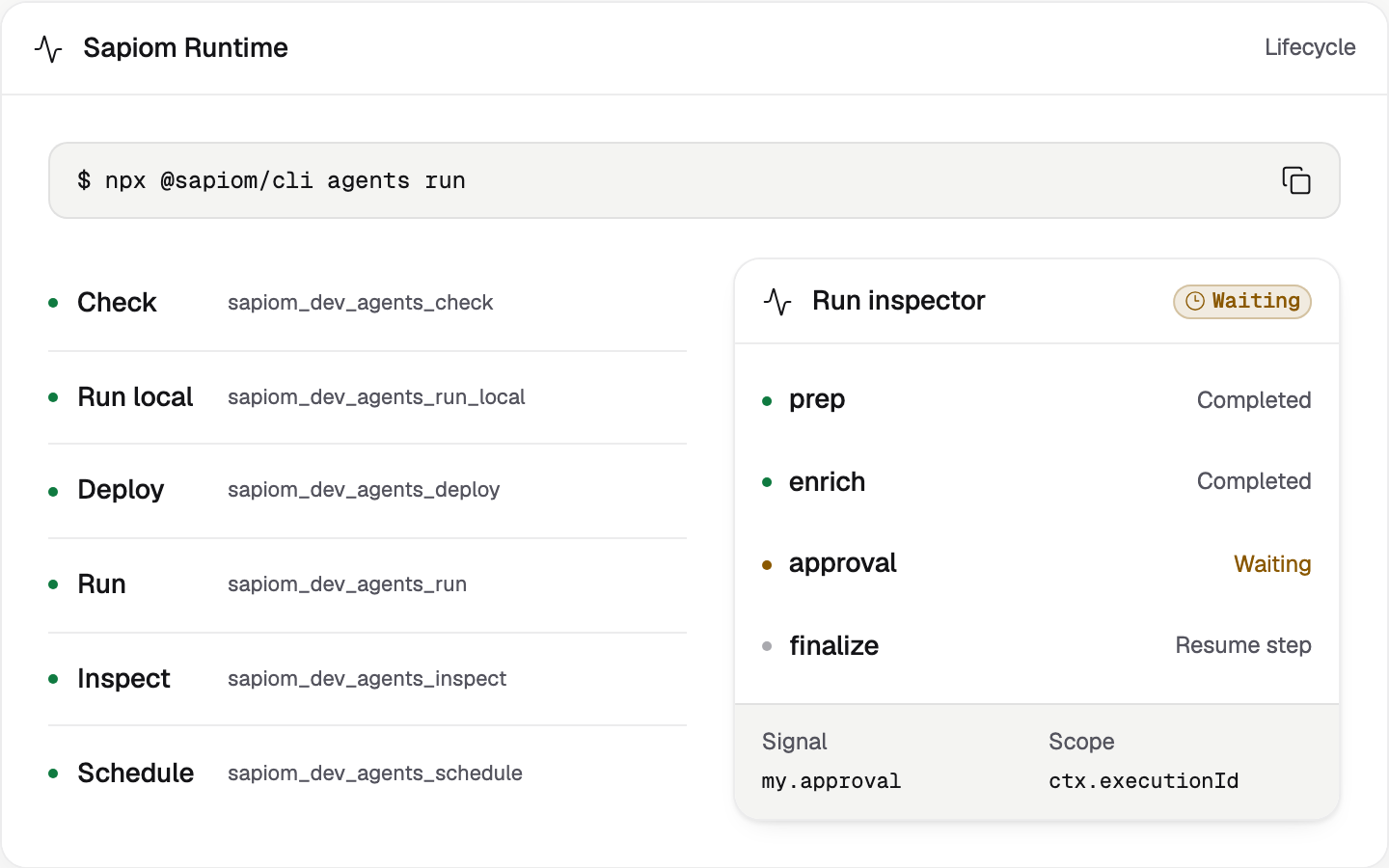
Runtime
Run evidence and the approval that lets work continue.
Product launch and results
Sources and notes
13 references- SapiomThe next trillion agents. Sapiom’s product launch and $35M Series A announcement.
- Internal launch recapCompany-reported launch results. Views are not unique people; 67 placements include 55 syndications. These are company milestones, not measured effects of the interface.
- Project recordsProject walkthroughs, team reviews and merged design engineering contributions. Interactive examples use sample workflow data. Read the text case.
- LangChainState of Agent Engineering, published June 12, 2026. Public survey of 1,340 respondents, November 18 to December 2, 2025. Some observability 89%; offline evaluation 52.4%; online evaluation 37.3%.
- GumloopAgent configuration, connector accounts, tool approvals, task history and credit costs. Current product documentation, reviewed October 18, 2026.
- ZapierCopilot supports conversational automation building and revision. Building and testing do not use live plan tasks. Open beta at review, October 18, 2026.
- MastraStudio supports workflow graphs, step execution, tool outputs, errors, datasets and experiments. Documentation reviewed October 18, 2026.
- AnthropicDemystifying evals for AI agents, January 9, 2026. Evaluating an agent includes its execution record and the resulting state of the environment.
- GartnerJune 25, 2025 forecast: over 40% of agentic AI projects canceled by the end of 2027. A projection citing costs, value and risk controls, not an observed failure rate.
- AnthropicIntroducing Claude Code, Anthropic. Demonstrates explicit task decomposition, tool-use and token accounting, and keyboard interruption.
- OpenAIIntroducing the Agents API, OpenAI. Demonstrates streaming session events, structured evidence tables and human mitigation approval.
- LinearLinear for Agents announcement, May 2025. Demonstrates issue delegation to an agent, status transitions and inspectable work links.
- Google CloudDesign agents in Agent Studio, Gemini Enterprise Agent Platform documentation. Covers visual workflow mapping, real-time response testing and event inspection.